29
X2 and Z2 Financial Reports
1. Control switch position: X or Z (bear in mind that a Z2 printout resets all totals to zero).
2. If a Z-mode manager password was defined, type the [4-digit password] and press
.
3. Type
and press
.
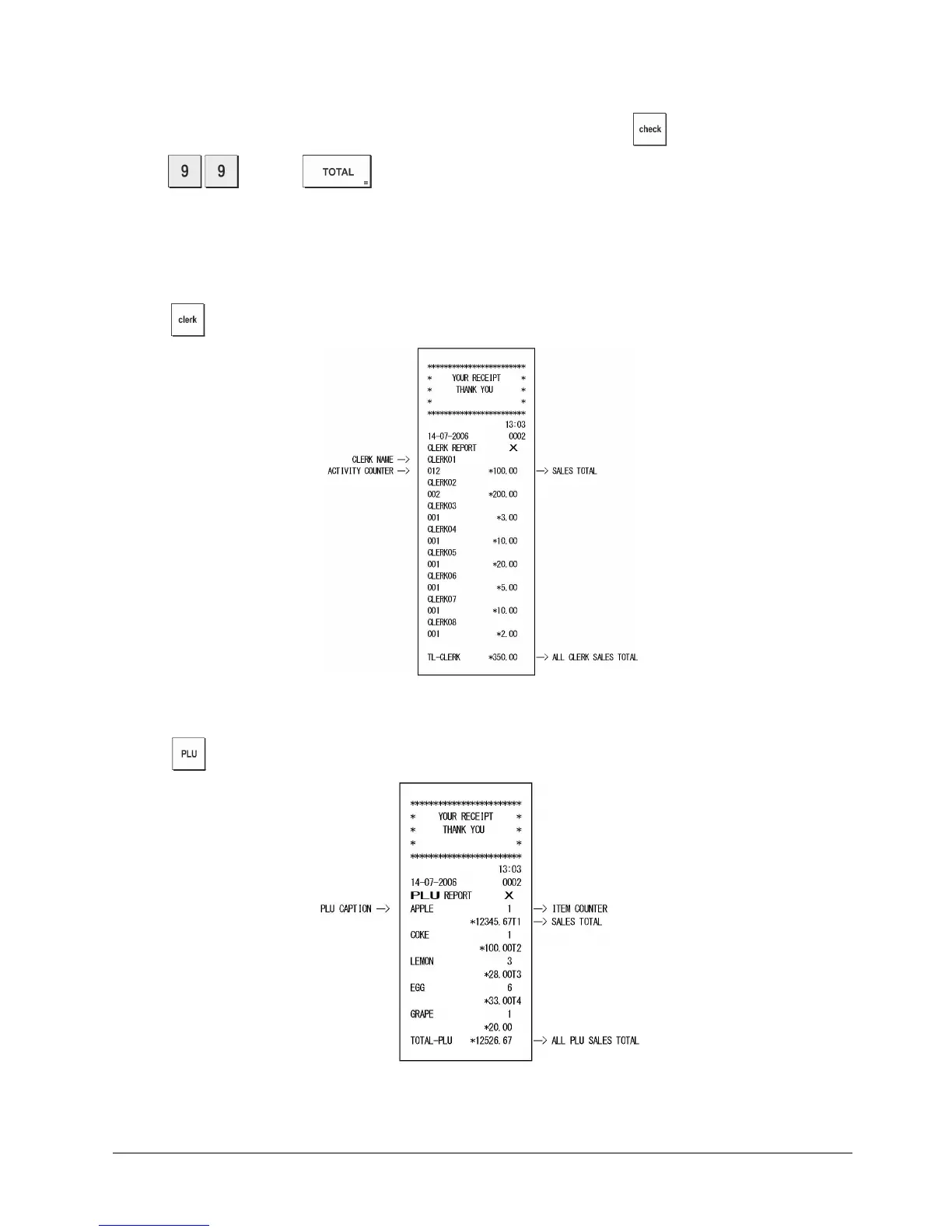
Clerk Report
1. Control switch position: X or Z (bear in mind that
a Z Clerk Report resets all totals).
2. Press .
PLU Sales Report
1. Turn the control switch to the X or Z position (bear in mind that a Z PLU Report resets all PLU totals to zero).
2. Press .















 To Next Page