11
Cash Register Programming and Features
Programs and transaction information for management re- ports are stored in the memory of the cash register which is
protected by back-up batteries.
Before beginning to program the cash register or to
perform sales transactions, insert the batteries to save this
information if a power failure occurs or if you unplug
the cash register from the power outlet.
Making Changes to Cash Register Programming
If you wish to make a change to your initial programming (such as an update to VAT rates, PLUs or exchange rates):
• Turn the control switch to the PRG position.
• Re-do the program in question and confirm as explained in the next sections
• Turn the control switch to another operating mode.
A new program entry will automatically overwrite
a previous entry for the same program.
Percent discount and add on (± %)
Setting this option automatically calculates the preset rate each time the key is pressed. The percentage rate can be
discounted or surcharged from an individual item or from a sales transaction total.
1. Control switch position: PRG.
2. Type the [numbers] representing the desired percentage rate. Up to four digits ranging from 0.00 to 99.99 can be used.
(*)
.
3. Type the [sign]
(**)
of the exchange rate.
4. Press to store the rate
(*) rate: 0 - 9999 ( 0 -
99.99% ) default: 0
(**) sign: 0 – 1
0 = plus (+)
1 = minus (-)
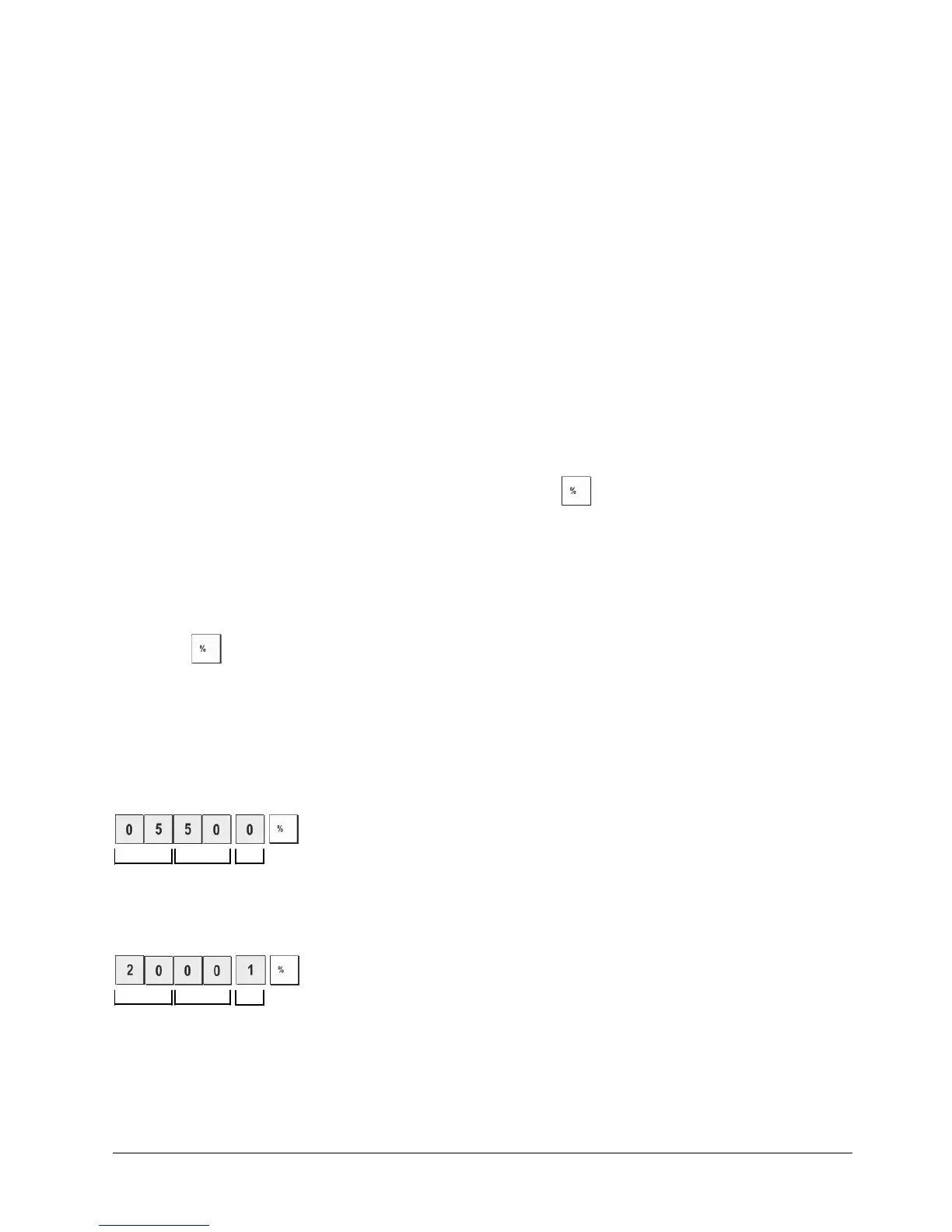
Example: Program a standard 5.50% add on rate sign = plus.
Type/Press:
Units Decimals Sign
Example: Program a standard 20% discount rate sign = minus.
Type/Press:
Units Decimals Sign















 To Next Page