16
Clerk System
The Clerk System is a security feature that enables you to
control access to the cash register and monitor the number of
transactions and the sales of up to 8 Clerks.
Your cash register is configured at the factory with the Clerk System deactivated.
You can activate the Clerk System for a degree of protection and sales monitoring or deactivate it again so that the cash
register can be used freely without restrictions.
NOTE: If the Clerk System is deactivated, the cash register is used without needing to enter a Clerk number only or a Clerk
number and its related 3-digit security code. In this case the cash register assumes Clerk 1 as the default
Clerk, displays "1" to indicate the clerk number in use and prints "1" on all receipts, journals and reports. All sales will
be recorded to Clerk 1 and therefore the Clerk Report will only report the sales of this Clerk.
You can also program other clerk-related features. See "System Options", Machine conditions 8, 9 and 10 for details.
Activating the Clerk System
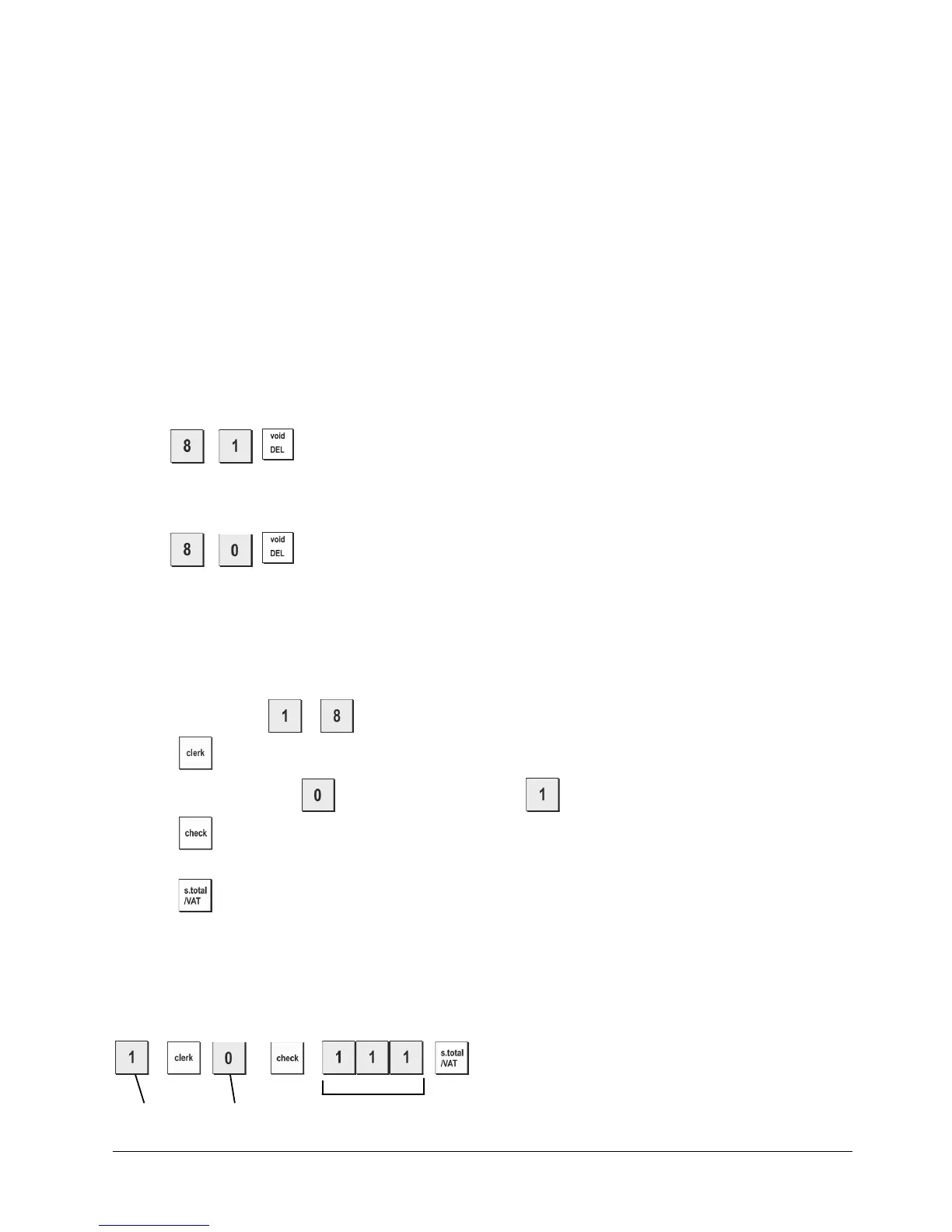
1. Control switch position: PRG.
2. Press .
Deactivating the Clerk System
1. Control switch position: PRG.
2. Press .
Programming a Secret Code Linked to a Clerk Number
With the Clerk System active:
1. Control switch position: PRG.
2. Type a number from
to to identify the clerk which the secret code will be linked.
3. Press
.
4. Set the clerk status typing
for “Normal Clerk” (Default) or for “Clerk Training mode”
5. Press
.
6. Set a three-digit secret code by typing three [numeric keys].
7. Press
.
NOTE: Secret code: 000 to 999
Default Secret Code: 000
Example: Assign secret code 111 to a normal Clerk, Clerk number: 1.
Clerk number Status Secret code















 To Next Page