10-003591-01EN [Q7780031], Rev. 4, January 2020
Setup of Equipment 25
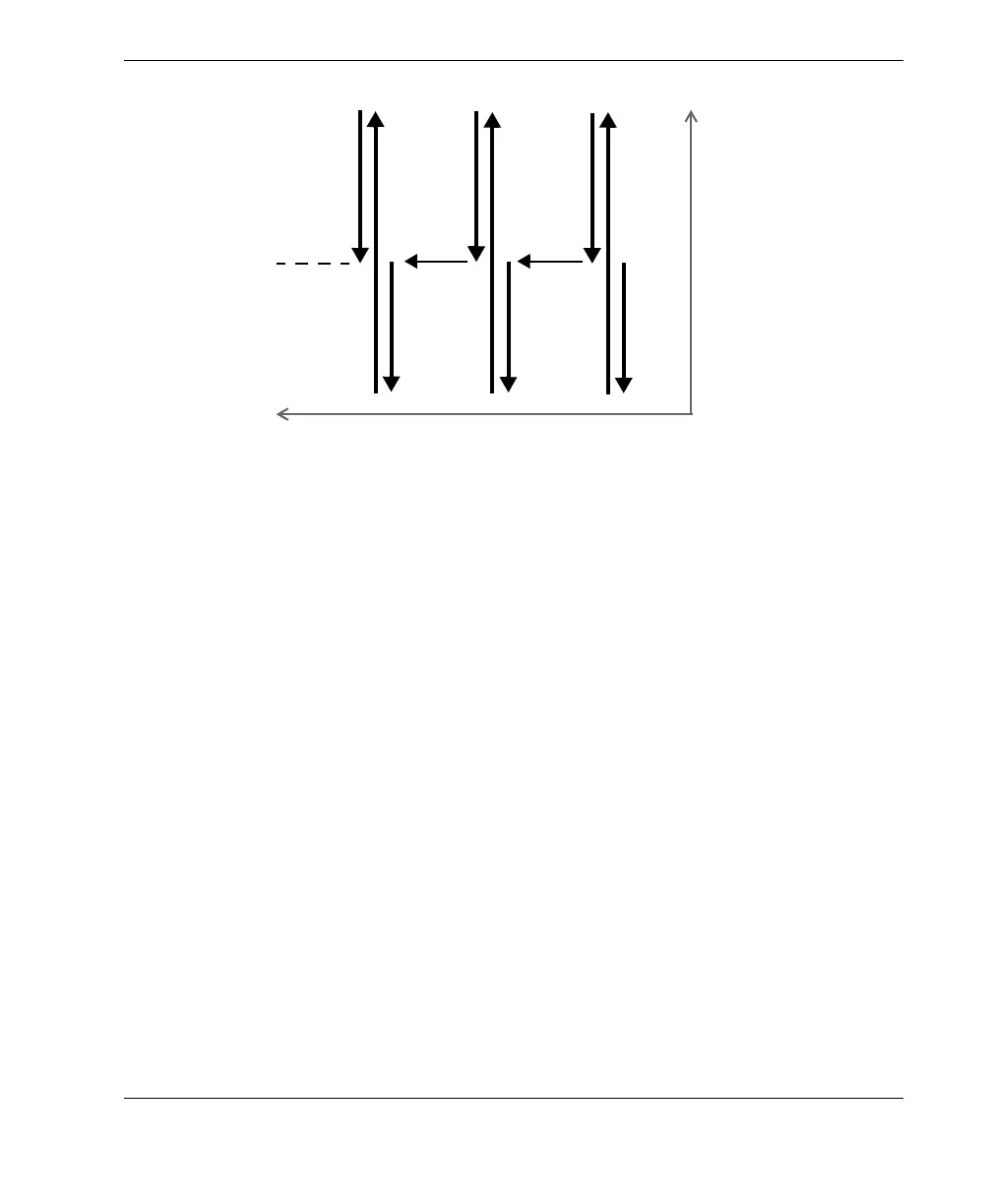
Figure 2-2 Symmetrical scan pattern for a pipe elbow inspection of 360°
In a symmetrical scan pattern, the indexing button is pressed once after completing a
scan, which stops the acquisition and activates the button’s red LED. Because of its
“smart indexing” function, the FlexoFORM scanner can then freely move along the
index axis to the next scan line without overwriting any acquisition data. When the
scanner is in position at the center of the next scan line (the zero position, or origin),
the indexing button is pressed once again, and the red LED turns off.
When the indexing button is released at the center of the next scan line, the position of
encoder 1 is reset to the Origin parameter value (equivalent to Scan > Encoder >
Origin). At the same time, the index value will be incremented by a predefined
distance set in the (encoder 2) Resolution parameter (see “Setting Up the Scan and
Index Parameters for an Elbow” on page 31).
To set the parameters for a symmetrical scan
1. Set the appropriate scan type in the OmniScan MXU software by selecting Scan >
Inspection > Type = Raster Scan.
2. In the OmniScan MXU software, set the scanner’s encoder number (1), type
(Quad), and resolution (12 steps/mm):
a) Select Scan > Encoder > Encoder = 1.
b) Select Scan > Encoder > Type = Quad.
c) Select Scan > Encoder > Resolution = 12.
Scan axis
Index
axis
The initial position of the
scanner must be at the
center of each scan line.
Center line
(zero position)
on pipe



 To Next Page