346
Tip
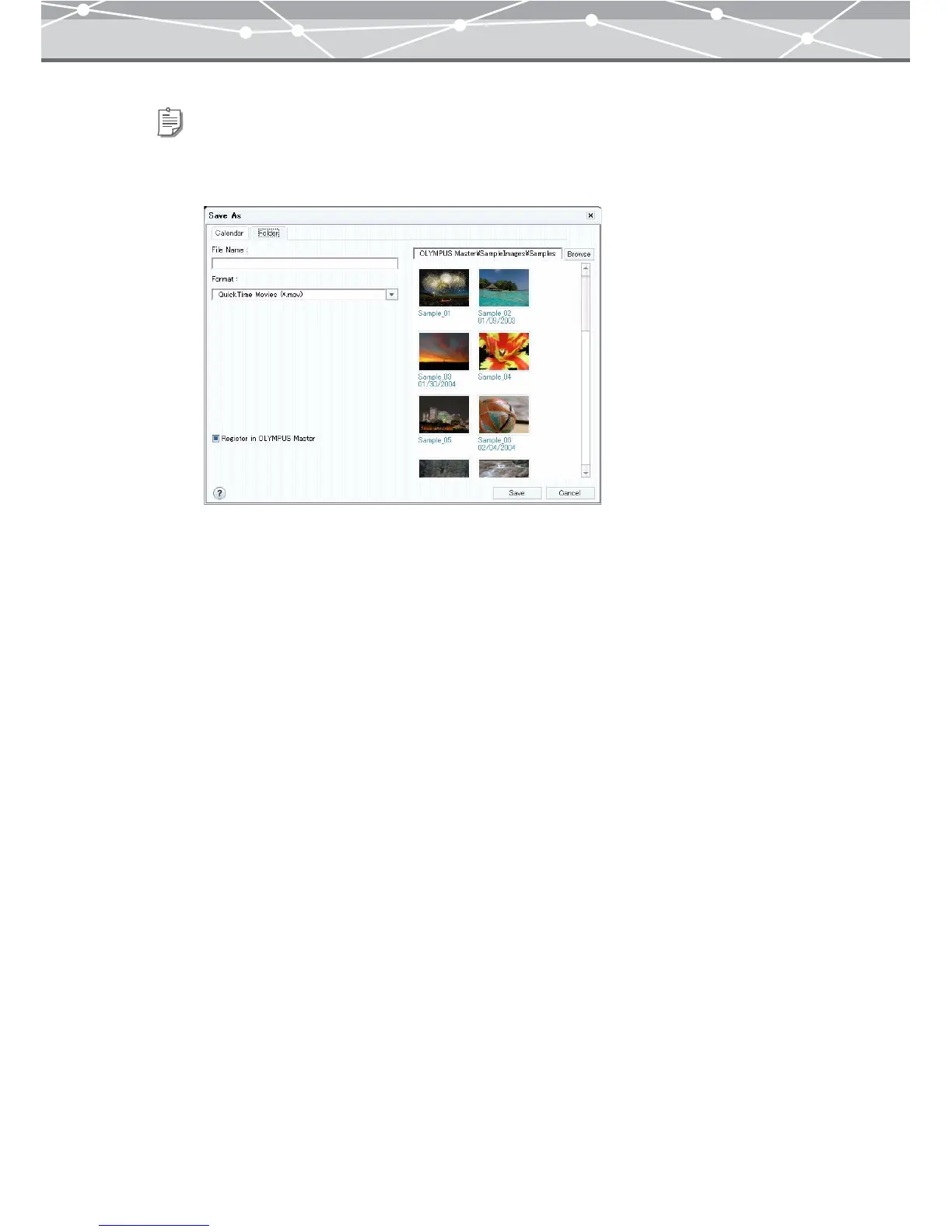
To save an edited movie file in the folder you specify, follow the procedure below.
1. Click the [Folder] tab.
2. Set the following items.
File Name
Specifies the file name for the movie file you are saving.
Format
Selects the file format from the pull-down list by clicking the [▼] button.
Register in OLYMPUS Master
Check this checkbox to save an edited movie in a specific folder and register it in OLYMPUS Master at the
same time. The file will be registered in OLYMPUS Master with the shooting date (or the created date if the
shooting date is not available).
Location
Clicking the [Browse] button displays the [Select Folder] dialog box.
In the [Select Folder] dialog box, select a location to save the file, and then click the [OK] button. If you want
to create a new folder, click [New Folder].



 To Next Page