69
GB
1505093, Edition 2012-05, Version 5
2 Safety Instructions
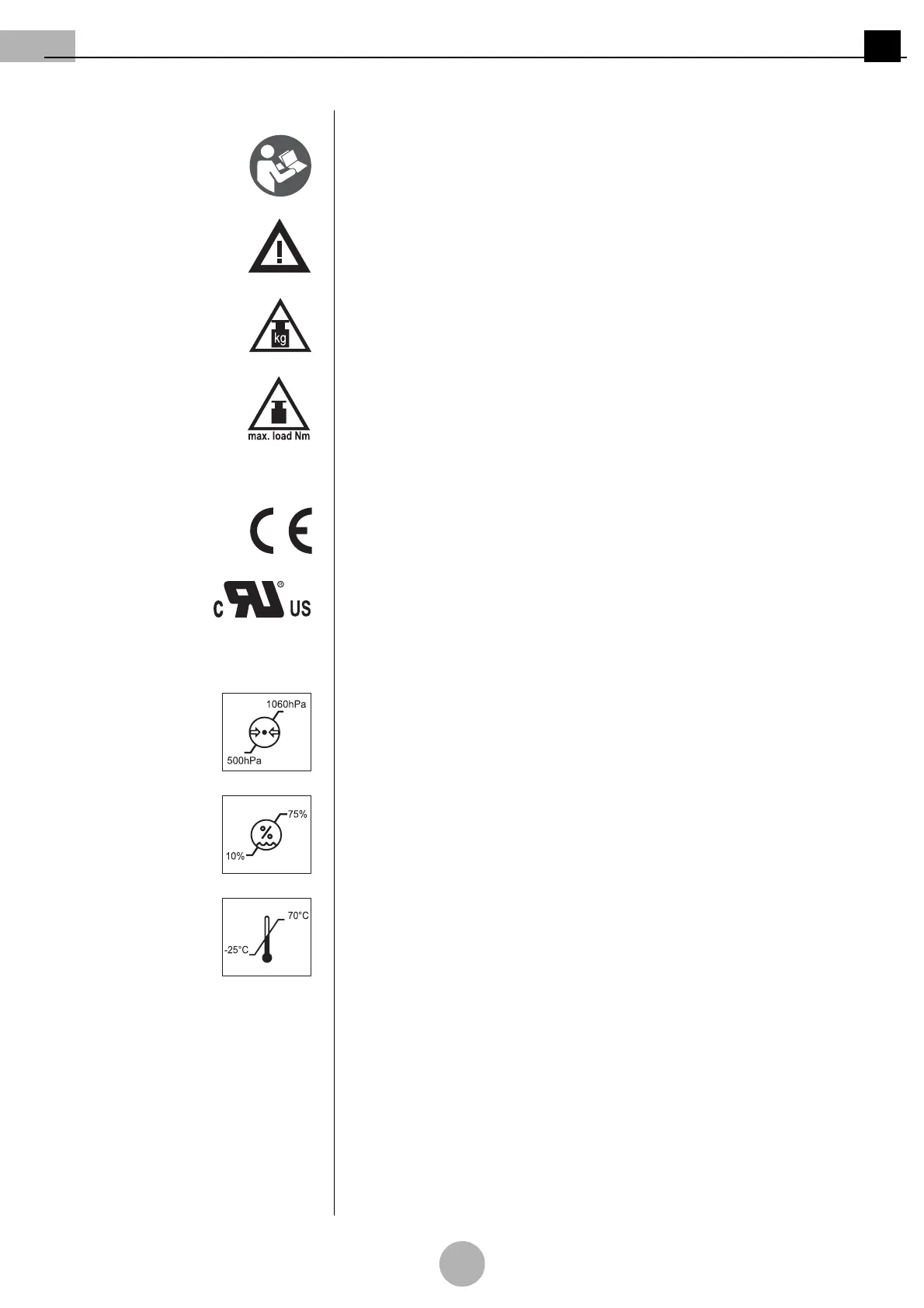
2.3 Graphic symbols on the appliance and/or on the packaging
Observe the Operating Instructions: Read these Operating Instructions carefully prior to
initial operation of the pendant system. This ensures that you benefit from all the advan-
tages of the pendant system and prevents any risk of injury or damage.
Observe the maximum loading capacity: warns of exceeding the maximum loading capac-
ity (payload) on the pendant system of the adaption 7 - 9 or the end device (e.g. flat
screen, OR lamp, etc.).
kg: warns of the risk of the spring arm 4 suddenly crashing because the maximum load-
ing capacity has been exceeded.
Max. load Nm: warns of the NRH spring arm 5 suddenly crashing because the maximum
loading capacity has been exceeded.
CE mark: Ondal declares that the products comply with the relevant regulations set forth
in the applicable European Directives.
Recognised cUL component: This component has been recognised by Underwriters
Laboratories Inc. Representative samples of this product have been reviewed by UL and
comply with the applicable requirements.
Atmospheric pressure: indicates the permissible atmospheric pressure values in a range
from 500hPa to 1060hPa for transport and storage.
Relative humidity: indicates the permissible humidity values in a range from 10% to 75%
for transport and storage.
Ambient temperature: indicates the permissible ambient temperature values in a range
from -25°C to 70°C for transport and storage.



 To Next Page