89
GB
1505093, Edition 2012-05, Version 5
8 Dismantling / Mounting in Case of Service
8.6 Mounting the end device to the NRH spring arm
Follow the safety instructions
Follow the general safety instructions prescribed in
“Chapter 8.1” on page 80
.
Maximum loading capacity
Calculate the maximum loading capacity (payload) as described in
“Chapter 8.2” on
page 81
.
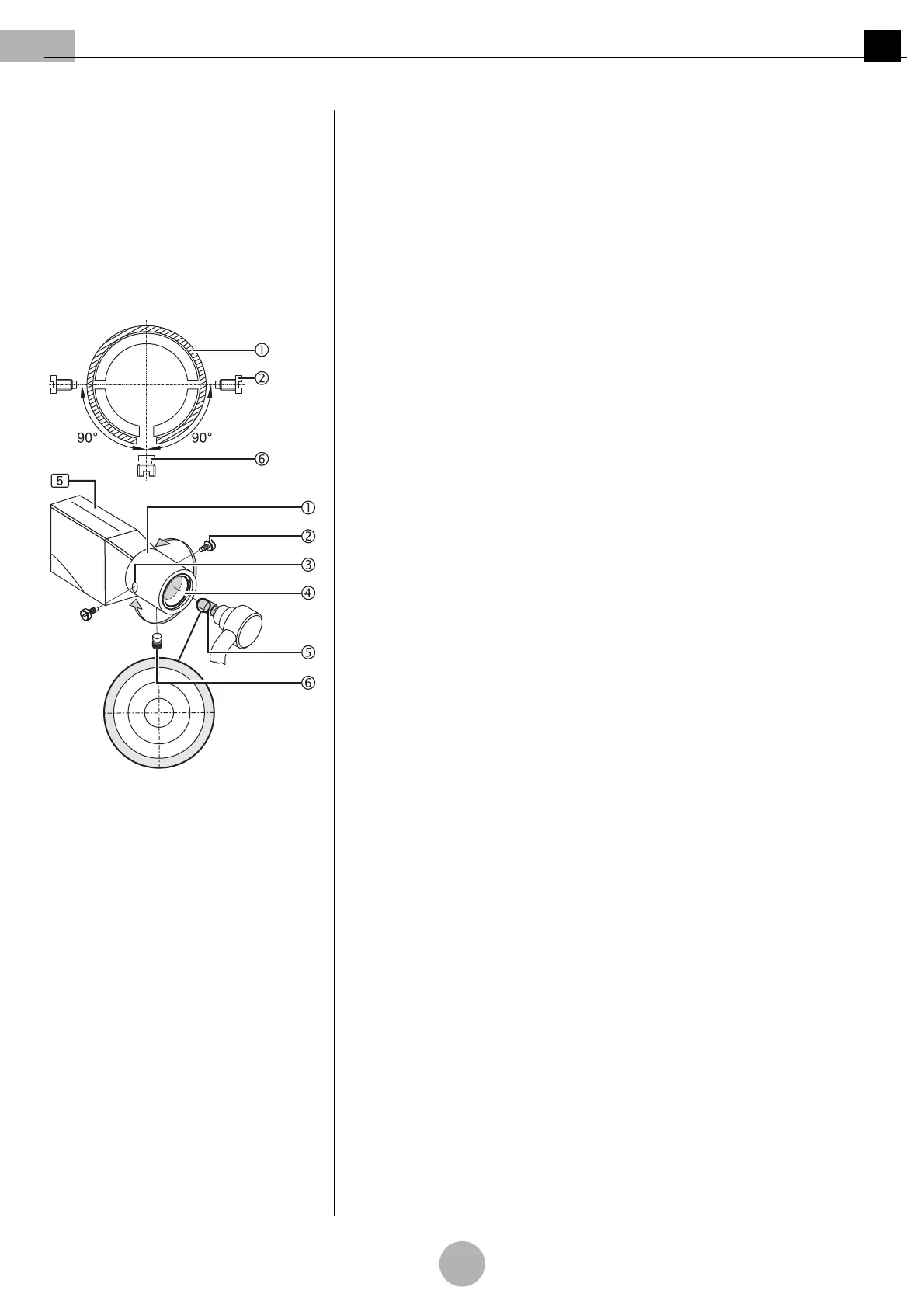
Figure 14: Version with 3-pole plug cou-
pling
Preparing the installation
(See "Figure 14")
1. Turn the fitting aperture 3 of the sleeve 1 downwards.
2. Unscrew the brake screw 6 at the bottom of the sleeve 1.
3. Rotate the sleeve 1 90 degrees and unscrew the first end device securing
screw 2.
4. Rotate the sleeve 1 180 degrees and unscrew the second end device
securing screw 2.
Only for version with 3-pole plug coupling
(See "Figure 14")
5. Grease the pivot groove and the pivot 5 using a suitable anti-friction bearing grease
(e.g. Optimol).
6. Position the pivot with 3-pole plug coupling 5, keeping it straightly aligned,
and establish the assembly connection 4 by gently pushing towards the
NRH spring arm 5.
ACROBAT 2000 appliances are only intended for the connection of luminaires for medical
diagnosis, surgical luminaires and flat screens bearing the CE mark and with a maximum
payload of 21 kg.
For technical assistance for creating a medical-electrical (ME) system refer to
DIN EN 60601-1, Part 16.
The manufacturer / marketer of the ME system must provide a declaration in accordance
with Article 12 of 93/42/EEC (Medical Device Directive, MDD).



 To Next Page