19
1.14.2 Text note
From Collect module, measurement list screen: input text inspection note directly from the keyboard or from a
list of predefined notes. The list of predefined notes is only available if this list is created in PC database (in
XPR menu “Libraries/Predefined notes”)
From Balancing module, any screen: balancing comment for the report
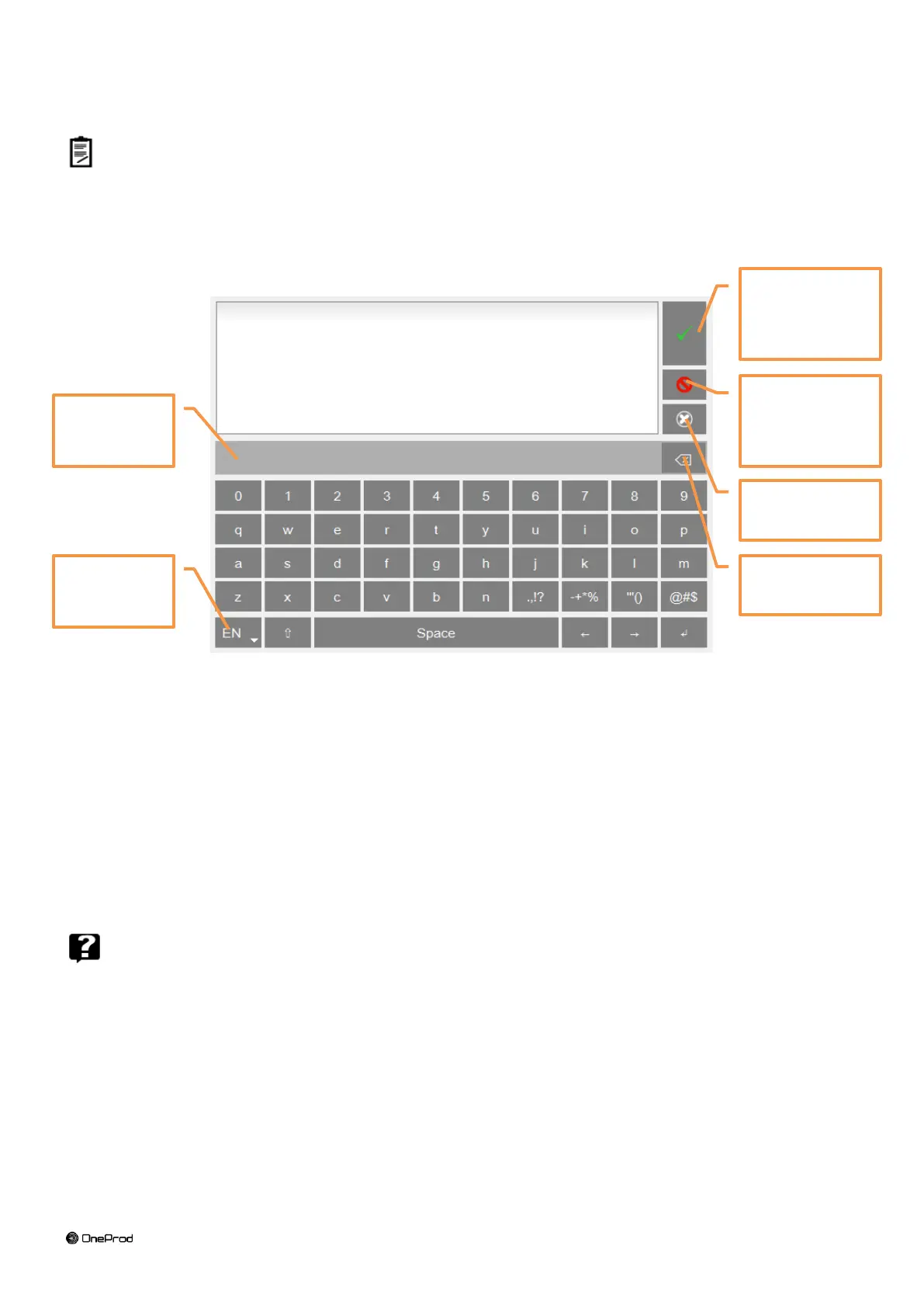
Keyboard details:
Keyboard type:
o EN: English
o FR: French
o PT: Portuguese
o CN: Chinese
Character selection bar: if one key is used for several characters (e.g., @#$, eéè, …), a long press
displays them in the bar for selection.
1.14.3 Help
From any screen, it gives explanation of each command .
Validate and
return to
previous screen
Cancel: return
to previous
screen with no
modification



 To Next Page