41
3.5.2 Acquisition
The instrument takes in one shot all measurements with the same input type for all the points grouped together.
The channel association rules are explained in § 3.5.8.
Progress bar:
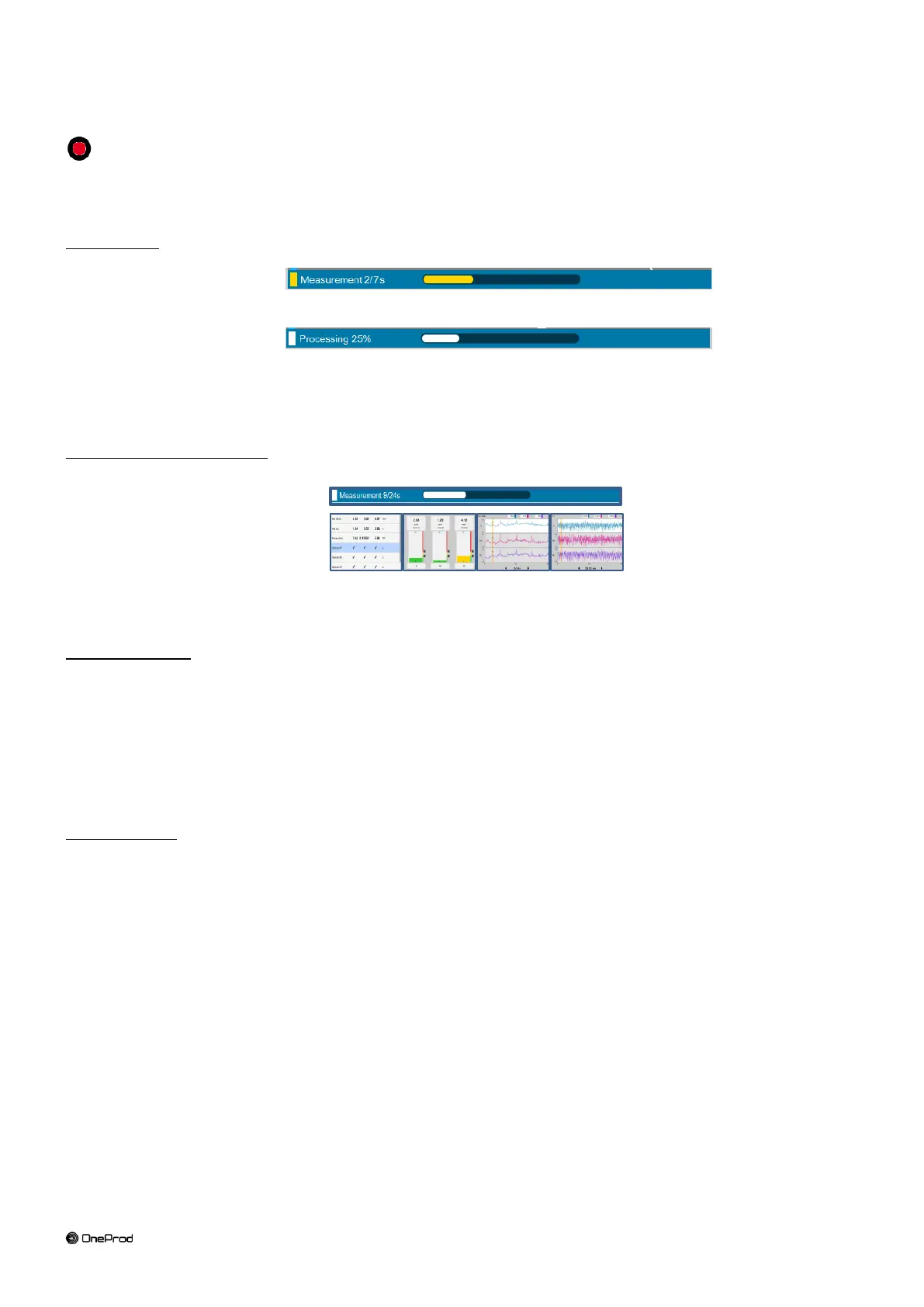
During the acquisition there is a succession of 2 progress bars:
The acquisition itself:
The bar is yellow; its duration depends on the configuration of the measurement.
When this one is completed you can already remove the sensor.
The processing:
The bar is white. Most of the processing is performed during the acquisition. The remaining processing
usually does not exceed 2s.
For the machine with automatic diagnosis, a pop-up message appears during diagnosis specific computation.
Display during the acquisition:
You can select the type of display used during the acquisition (see § 2.1).
The selection is:
Progress-bar only,
Overall level,
Spectrum
Time wave
By default, the 1
st
measurement of the selected type is displayed during the acquisition. To display another
measurement of the same type, select it before the acquisition.
Status information:
The status is indicated at the bottom of the right hand side of the screen
During analogic acquisition
o Input overload indication in percentage of time
o Sensor integrity indicator
During wireless measurement
o Sensor overload indication in percentage of time
o Battery level of the sensor
Status message:
If a defect is detected during the acquisition a pop-up message is displayed at the end of the acquisition.
It indicates the status of each channel.



 To Next Page