110 Instruments and controls
Operate via touchscreen of the
mobile device.
Smartphone Station 3 163.
Vehicle personalisation 3 114.
Rear view display
The rear view display is located at the
position of the interior mirror.
If switched on, the rear view display
can show two different views, one of
the camera above the rear door and
on of the camera under the side of the
right mirror:
● rear view
● rear view and passenger side
view
Rear view display 3 25.
Rear view camera 3 235.
Passenger side camera 3 231.
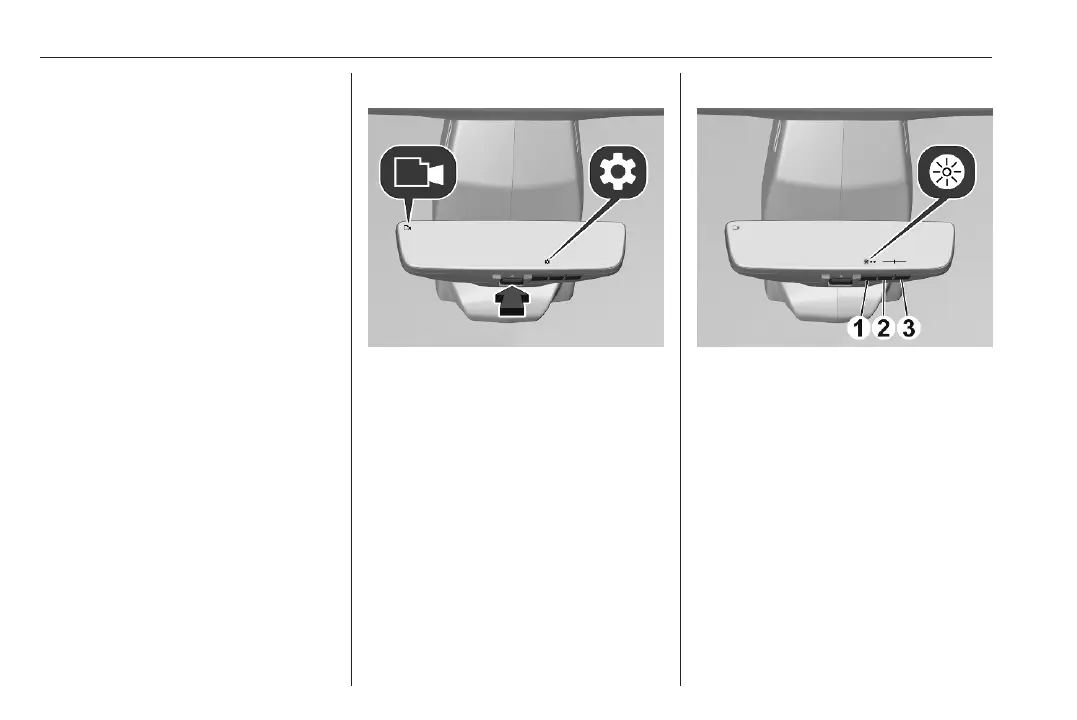
Switching on and off
Press button to switch on and off.
If activated, a camera symbol
appears in the upper left corner.
Setting the brightness
Press (1) to open the settings T.
Press once again to open the
brightness menu.
Press (2) to decrease brightness.
Press (3) to increase brightness.
Brightness levels from one to five,
preset level is three.
The selected level is highlighted in the
slider menu on the display.
To close the settings, press (1) until
they are closed.



 To Next Page