Driving and operating 207
Driver assistance
systems
9 Warning
Driver assistance systems are
developed to support the driver
and not to replace the driver's
attention.
The driver accepts full
responsibility when driving the
vehicle.
When using driver assistance
systems, always take care
regarding the current traffic
situation.
Note
To comply with the European
general safety regulations, some
driver assistance systems are
automatically reactivated at the next
vehicle start.
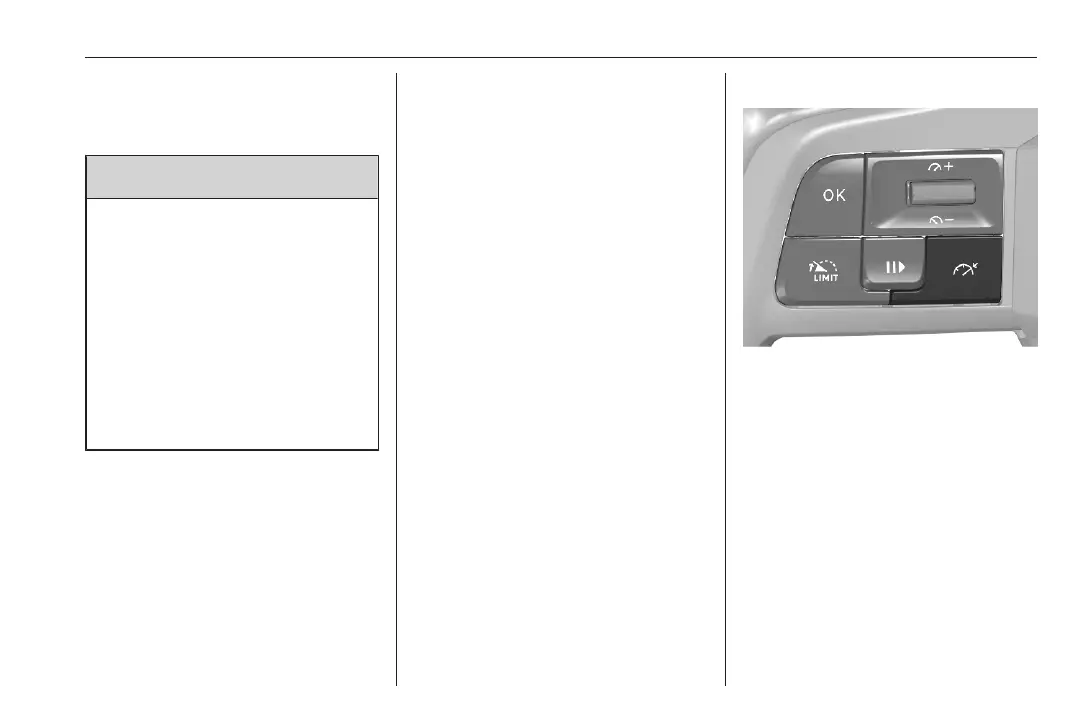
Cruise control
The cruise control can store and
maintain speeds above 40 km/h. For
vehicles with manual transmission,
any gear has to be selected. For
vehicles with automatic transmission,
position D or the second or a higher
gear in position M must be selected.
Deviations from the stored speeds
may occur when driving uphill or
downhill.
The system maintains the vehicle
speed at the preset speed by the
driver, without any action on the
accelerator pedal.
The preset speed can be exceeded
temporarily by pressing the
accelerator pedal firmly.
The status and preset speed is
displayed in the Driver Information
Centre.
Do not use the cruise control if it is not
advisable to maintain a constant
speed.
Switching on the system
Press /.
Depending on version, either the
cruise control screen or only / is
displayed.
/ is grey indicating that the system
is still not active.
Activation of the functionality
If all operating conditions are met,
OK? is displayed.
Press OK to store the current vehicle
speed as speed setting and activate
the cruise control. / changes from



 To Next Page