Driving and operating 233
edge of the bumper or under the
bumper are not displayed on the
screen.
Depending on the load of the
vehicle, the inclination of the
vehicle may be changed including
the view of the camera.
The system may use:
● rear camera, installed in the
tailgate
● ultrasonic parking sensors in the
rear bumper
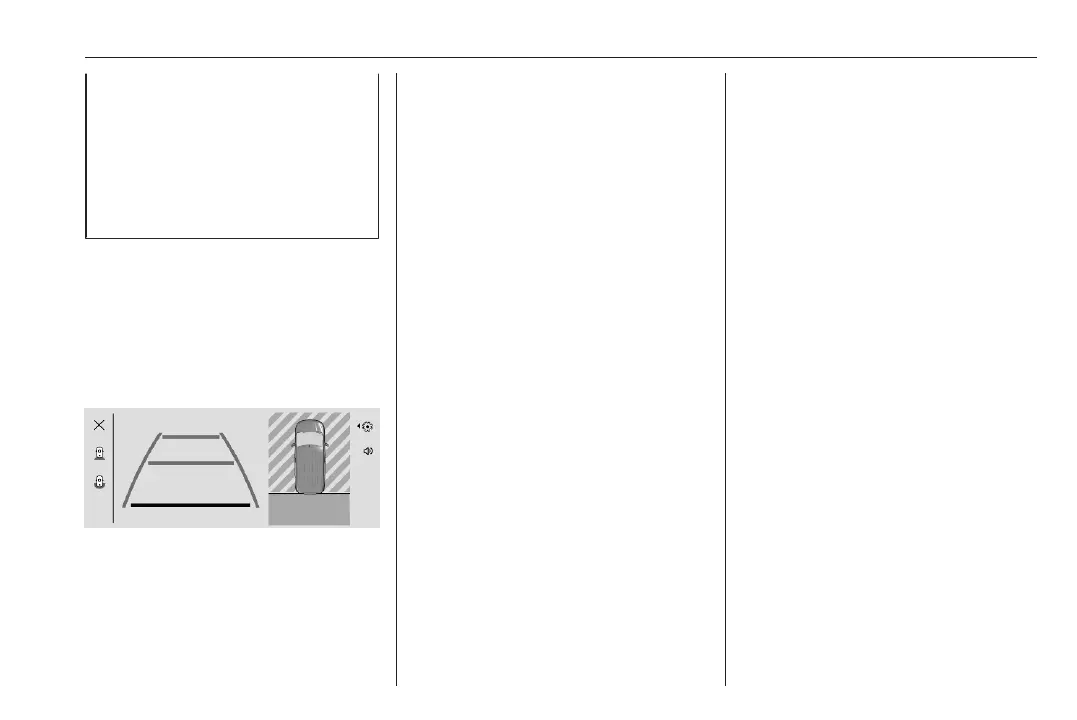
Visualisation on the Info Display
The screen is divided into four areas,
from left to right:
● selectable views: standard and
180° view
● view visualisation
● top view
● settings :, muting v and
unmuting the audible signal
The parking sensors complete the
information on the view from above
the vehicle.
Parking assist 3 222.
Settings
The following settings : can be
adjusted: volume of the audible
signal.
The settings can be closed by
pressing : on the side of the Info
Display or by pressing somerwhere
else on the Info Display.
Activation
The panoramic view system is
activated by:
● engaging the reverse gear when
the engine is switched on
● manual activation in the Info
Display when the vehicle speed
is below 16 km/h
Functionality
Different views can be selected in the
left part of the display. Change the
type of view at any time during a
manoeuvre by selecting a view.
● standard view
● 180° view
The display is immediately updated
with the type of view selected.
Standard view is enabled by default.
This setting can be changed in the
settings of the panoramic view
system in the Info Display.
Depending on version, auto mode is
activated by default. In this mode, the
system selects the best view,
standard or zoom, to display
according to the information from the
parking sensors.
The state of the system is not kept in
memory when the ignition is switched
off.
Standard view
The area behind the vehicle is
displayed in the screen. The vertical
lines represent the width of the



 To Next Page