236 Driving and operating
The view of the camera is displayed
in the rear view display 3 110.
Switching on
The rear view camera is switched on
when the vehicle is running in forward
gear and the rear view is selected
from the rear view display or by
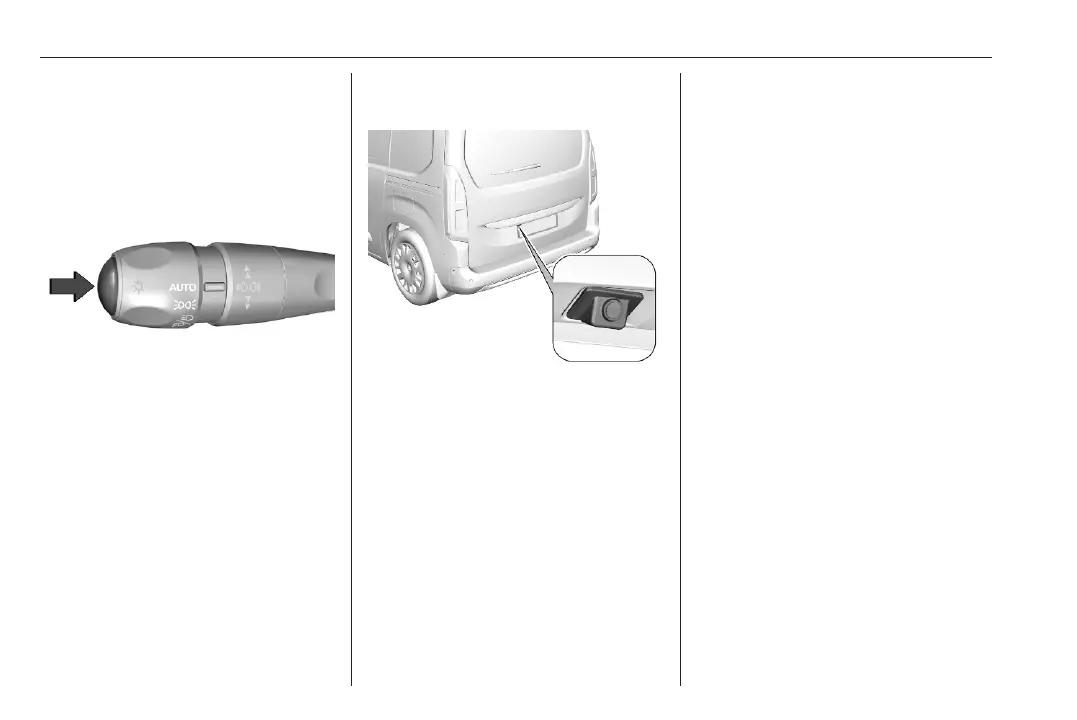
pressing the button on the lever.
When operating with a trailer, the rear
view is still available.
Switching off
The rear view camera is switched off
when the rear view display is
switched off.
Camera above the license plate
on the tailgate
The camera is mounted in the rear
bumper above the number plate.
Activation
Rear view camera is activated when
reverse gear is engaged.
Functionality
The area displayed by the camera is
limited. The distance of the image that
appears on the display differs from
the actual distance.
Guidelines
The first horizontal line represents a
distance of about 30 cm beyond the
edge of vehicle's rear bumper. The
upper horizontal lines represent
distances of about 1 m and 2 m.
The trajectory lane of the vehicle is
shown in accordance with the
steering angle.
Depending on version, the outer
guidelines can also be static and the
gap between both lines represent the
vehicle width including the exterior
mirrors.The inner curved guidelines
represent the maximum steering
angle in either direction.
Deactivation
The camera in the rear bumper is
deactivated when:
● a plug is connected to the power
outlet of the trailer hitch
● a forward speed of 10 km/h is
exceeded.
● by pressing the icon q in the left
upper corner of the touch screen.



 To Next Page