150 The Information Company
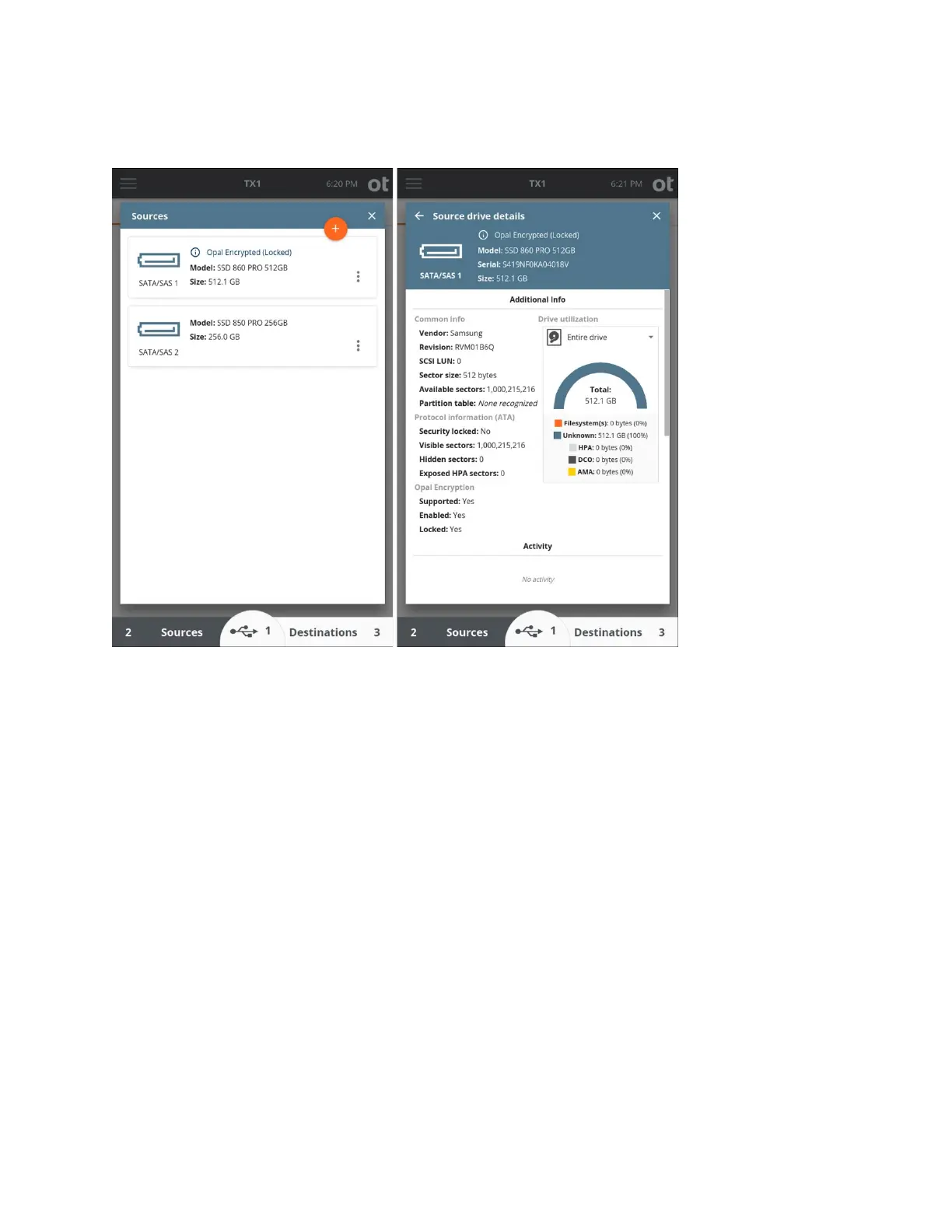
See “
Encryption unlock” on page 48 for information related to unlocking Opal SEDs.
Note that Opal drives that have not had their encryption enabled will behave as regular,
non-encrypted drives.
Note: Docking station type devices that have Opal drives in them must support ATA
command pass-through for TX1 to properly detect the presence of Opal encryption and
allow it to be unlocked. Docking stations that do not support ATA command pass-through
may present locked Opal media as all zeros with no indication of Opal encryption being
present in the TX1 user interface. Use caution when acquiring any docking station-based
media. If you suspect a drive in a docking station is Opal-encrypted, but is not being
presented that way in the TX1 user interface, removing the drive from the enclosure and
connecting it directly to TX1 may yield the desired outcome.
4.9.1.2 Apple Core Storage and FileVault 2
TX1 can detect Apple Core Storage partitions and the presence of FileVault 2 encryption.
FileVault 2 encryption will be indicated in both the user interface and the forensic log. The
screenshots below show how FileVault 2 encryption will be indicated in the TX1 user
interface.
Note: There are many possible ways to configure Apple Core Storage volumes with
FileVault 2 encryption. TX1 has been designed to catch them all, but it is possible that
Copyright © 2022 Open Text. All rights reserved. Trademarks owned by Open Text.



 To Next Page