94 The Information Company
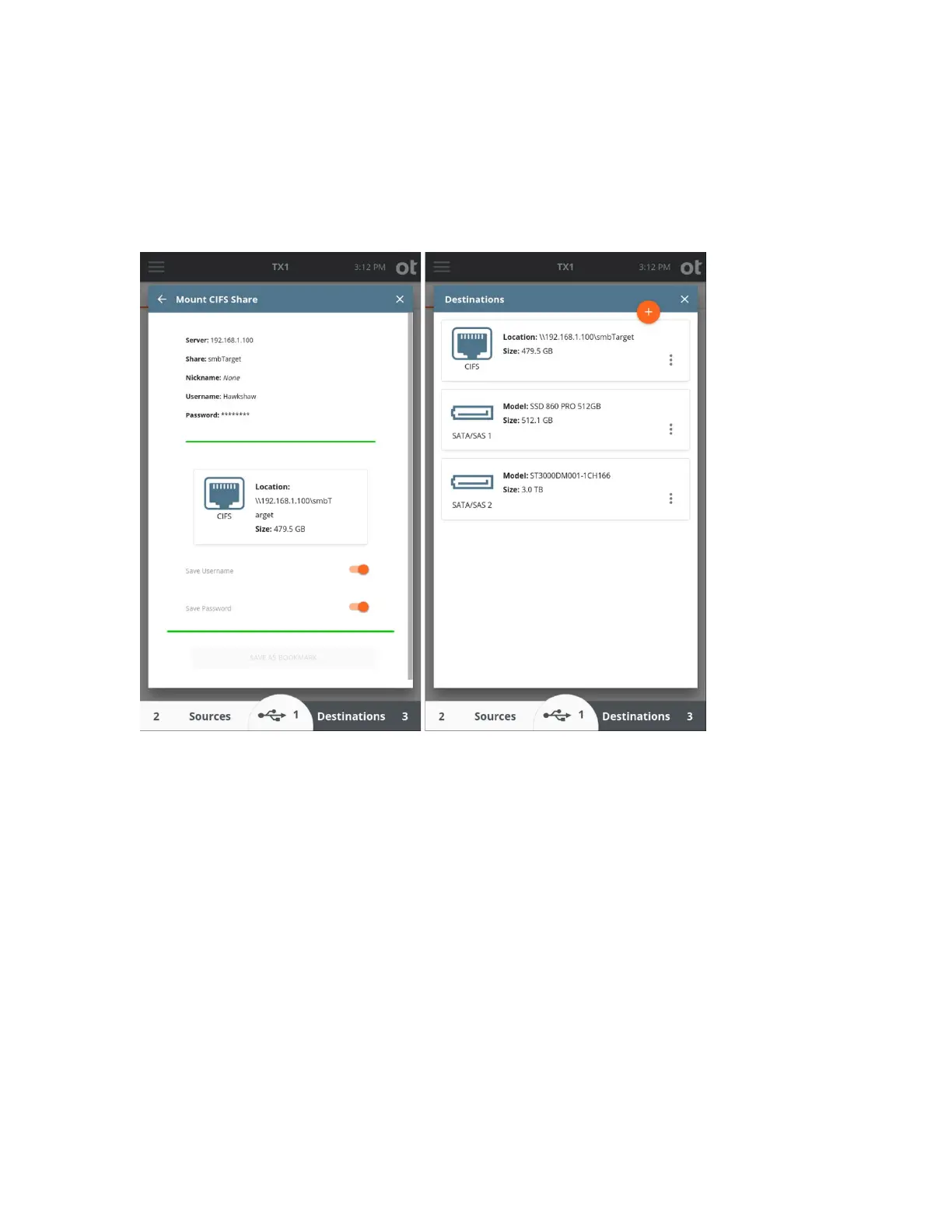
7. The bookmark is now saved (if selected). The share can now be accessed like any
mounted filesystem for logical acquisition as a source (if mounted as a source), as a
destination for physical and logical image files (if mounted as a destination), Verify
(as a destination), Restore (as a source or destination), and some media utilities.
Note that a
CIFS share takes the form of a filesystem (not a block device/drive) so you
cannot perform a Clone Duplication to a CIFS share. The Wipe, Blank Check and
Format options are also not available when a CIFS share is selected as a destination.
Note: The CIFS mounting steps above are shown for the case of a destination CIFS
share. However, the same steps apply to mounting a CIFS share for use as the source of
a logical imaging job, with the only difference being that the Sources drive list is selected
from the bottom of the Home screen instead of Destinations.
4.3.6 Pausing and resuming a duplication job
In certain situations, significant amounts of imaging time can be saved by being able to
pause and later resume a duplication job. TX1 has you covered, providing the means to
pause and resume imaging jobs with the following output file formats: e01, ex01, dd, and
dmg.
Copyright © 2022 Open Text. All rights reserved. Trademarks owned by Open Text.



 To Next Page