40 The Information Company
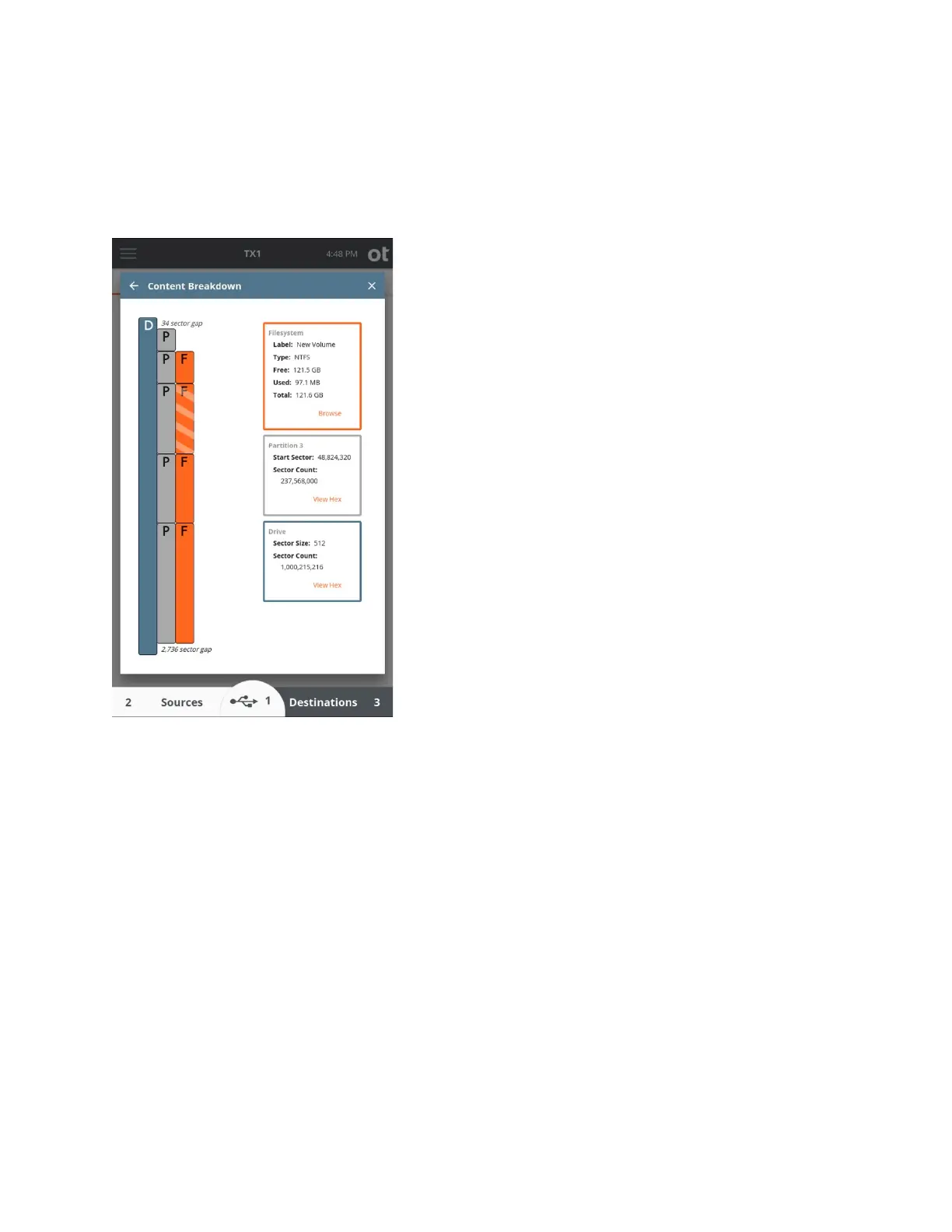
Filesystem elements show basic filesystem information (label, type, a free/used/total
space) and a Browse button that opens TX1’s standard browse modal, as shown in the
screenshot below.
3.3.2 Wiping destination or accessory drives
The Wipe media utility provides three wipe types for destination and accessory drives. A
summary of each wipe type is provided here, with more details in the table below.
• Overwrite – This method simply writes known pattern data to every accessible
region of a drive. This can be done with a single pass or multiple passes. Verification
is optional.
• Secure Erase – This method is only available for ATA based SSDs that support the
command. TX1 need only issue the Secure Erase command to the drive, and the rest
is done by the controller on the drive. Verification is not supported with this method
since the state of the post-wipe data on the drive is drive manufacturer specific.
• Sanitize – This method is available for ATA and SCSI based media (both rotating
and SSD) that support the command. Two wipe options are available for drives that
support Sanitize – Block Erase and Overwrite. TX1 need only issue the Sanitize
command to the drive, and the rest is done by the controller on the drive. Verification
is optional. Note that an active Sanitize wipe may make a drive unresponsive for an
extended period of time.
Copyright © 2022 Open Text. All rights reserved. Trademarks owned by Open Text.



 To Next Page