OpenText Tableau Forensic TX1 Imager
The Information Company 41
The exact differences between Secure Erase and Sanitize can be subtle, depending on
the drive manufacturer’s implementation. But, in general terms, Secure Erase is
adequate for environments that are not concerned with removing any evidence of
previous data in the physical memory chips. Secure Erase will guarantee that a typical
host system read will return only wiped data, but someone with advanced capabilities to
do chip-off memory structure analysis could theoretically discern previous data bit states.
Sanitize is meant to cover situations that demand more secure data removal where
advanced data retrieval techniques are of concern, with the downside of it taking much
longer to complete.
Note: Secure Erase and Sanitize command requirements do not guarantee the final state
of the data on wiped drives, which can result in wipe job failures that are out of TX1’s
control. From OpenText empirical testing over a large sample size of drives from different
manufacturers, Secure Erase will reliably wipe drives in a very short period of time, but
with a higher likelihood of a non-deterministic data state when complete, which makes
reliable verification impossible. Sanitize has proven to be more reliable in clearing all data
to zeros, which enables support of post-wipe verification. If you experience Sanitize wipe
verification failures, please contact OpenText Customer Support to report the specific
make and model of the drive, and the Tableau team will investigate.
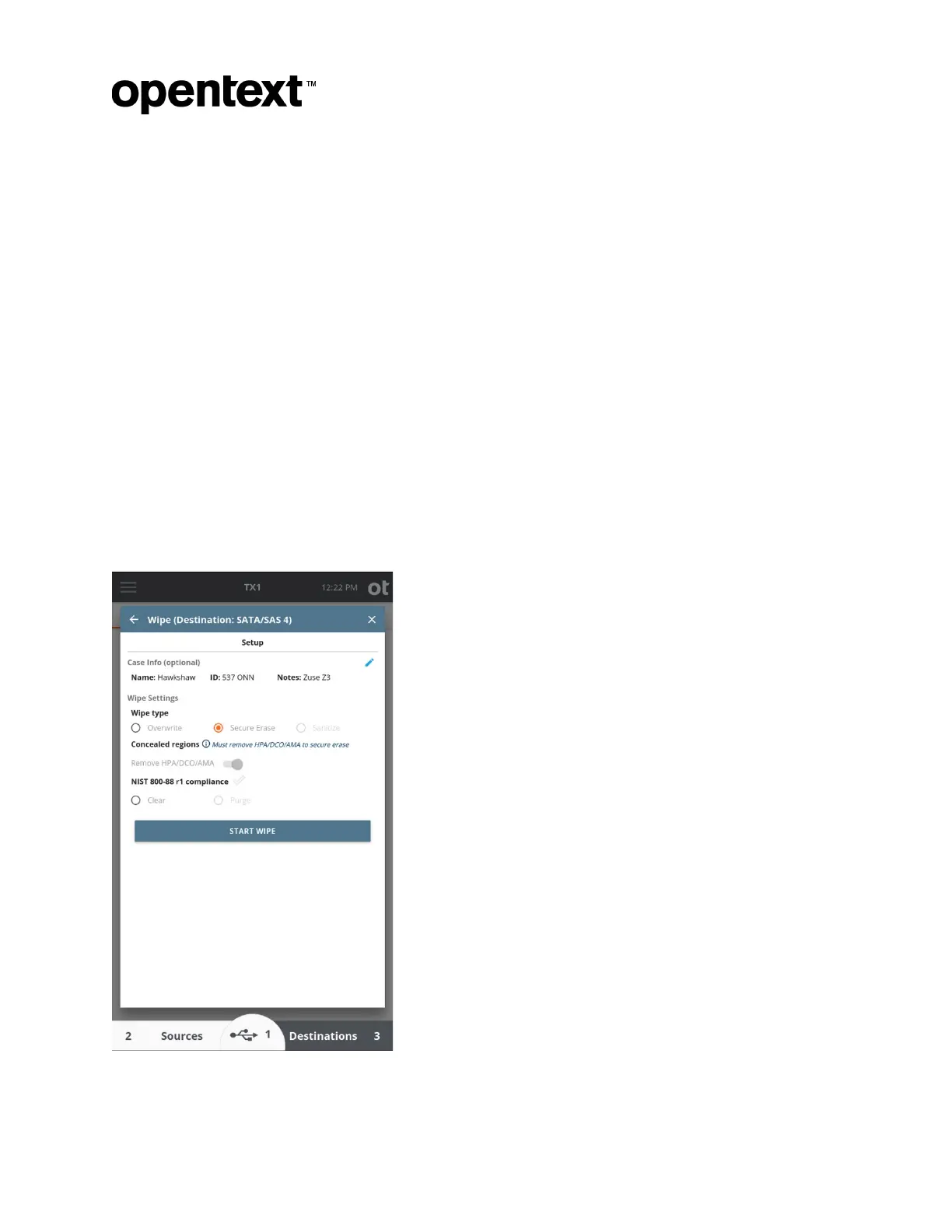
The screenshot below shows the wipe screen for an SSD that supports Secure Erase.
Copyright © 2022 Open Text. All rights reserved. Trademarks owned by Open Text.



 To Next Page