42 The Information Company
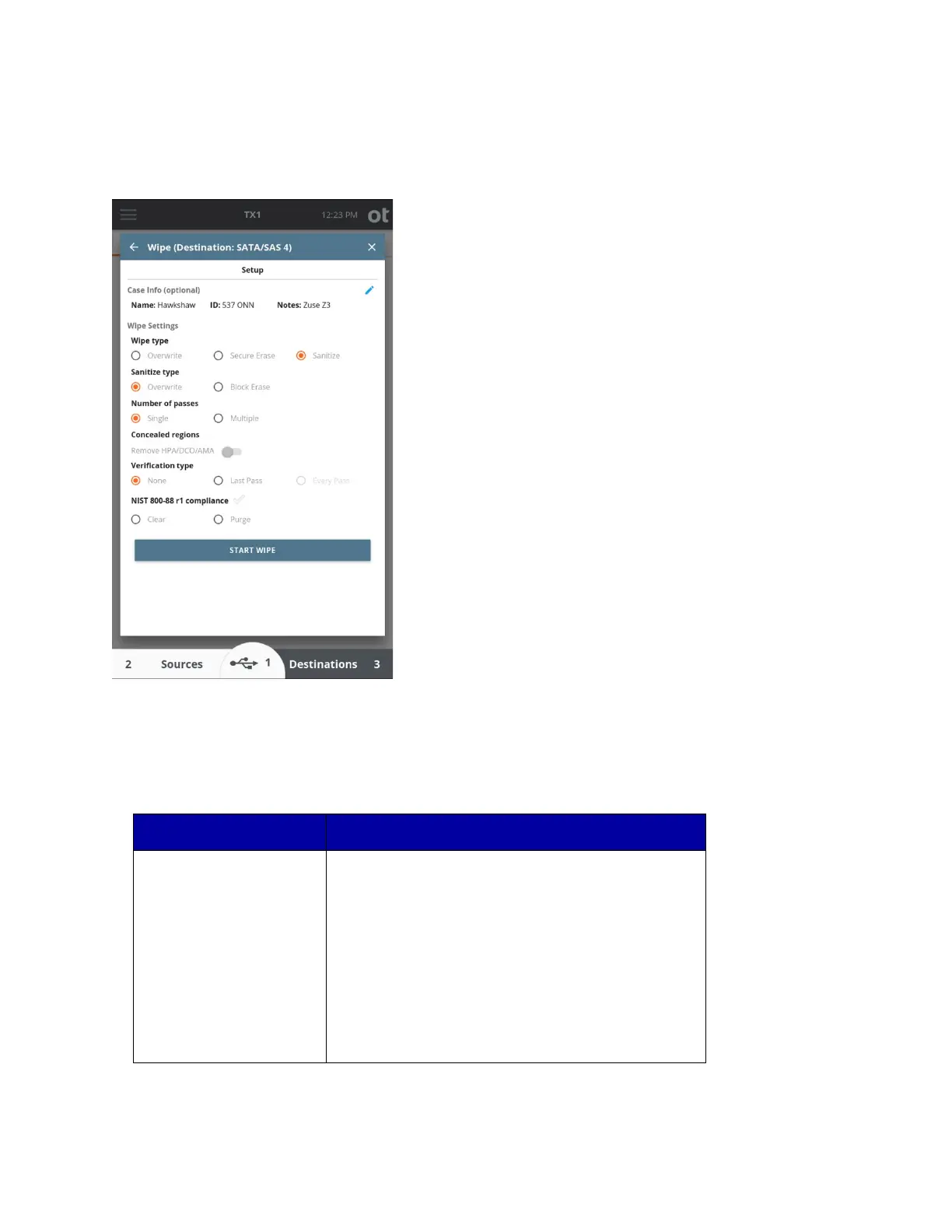
The screenshot below shows the wipe screen for an SSD that supports Sanitize.
Note: W
iping drives results in sustained writing of the media, which can create
abnormally high thermal operating conditions inside the drive. OpenText highly
recommends using the TX1-S1 drive bay (which has active cooling) or an external drive
cooler or fan when wiping media on TX1 to help prevent thermal damage to drives.
The following table provides Wipe option details:
TX1 will write a constant pattern to the destination or
accessory drive in a single pass. If a custom wipe pattern
is set, it will be written to the drive. Otherwise, zeros will
be written.
Verification is optional.
Note that when an HPA/DCO/AMA configuration is
present on a drive, a toggle may be set when configuring
the wipe job to remove such configuration prior to starting
the wipe, which will ensure the entire accessible drive
Copyright © 2022 Open Text. All rights reserved. Trademarks owned by Open Text.



 To Next Page