72 The Information Company
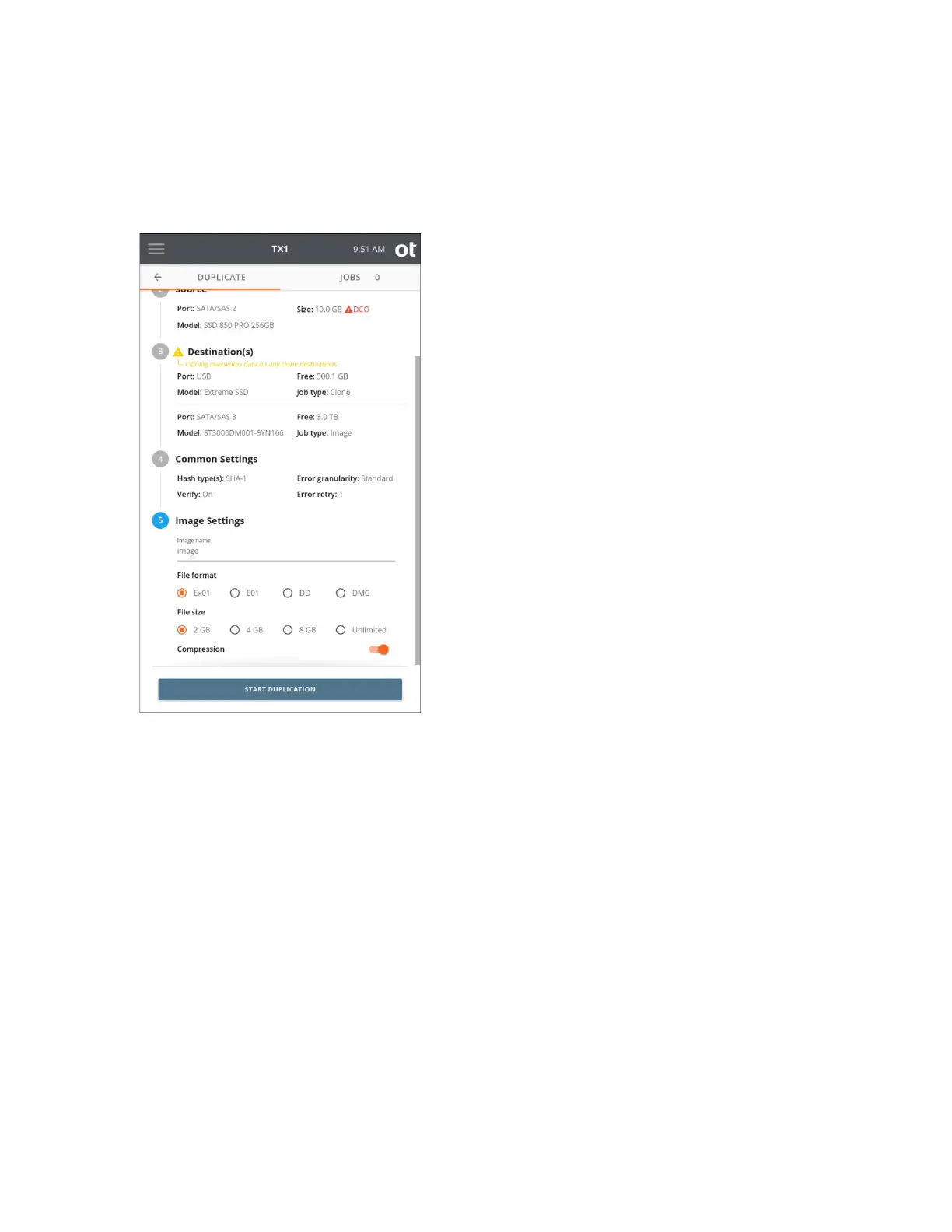
7. If at least one destination Job type is image, then Step 5, Image Settings, is
displayed as the last step. To change the image settings, tap the 5 or Image Settings
heading.
Image
name defines the base filename for image segments. The default value is
image. Tap the Image name text area to change the filename, then select a File
format and File size.
Compression is enabled by default for ex01 and e01 file formats but can be disabled
if desired. Compression is not supported for dd and dmg file formats.
Note: DMG files that were created from non-512 byte sector source media will not
open on Apple devices by default. A special command line workaround is required
when attempting to open such DMG files on an Apple device. TX1 will provide a
warning in the Image Settings area when this condition is detected and DMG is
selected as the file format.
8. Once you are satisfied with your settings and drive selection, tap the Start
Duplication button. A Job Status screen is automatically displayed, as shown
below.
Copyright © 2022 Open Text. All rights reserved. Trademarks owned by Open Text.



 To Next Page