Calibration
26
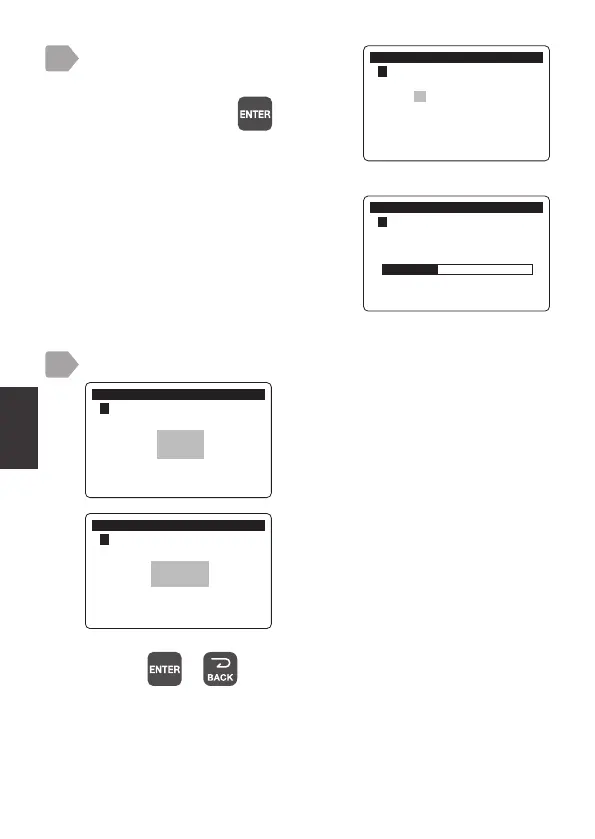
Perform the 2nd point calibration.
Check that the measurement value
is stable, and press
.
When the calibration is complete, a
progress bar is displayed and then
the calibration result is displayed.
The calibration starts.
&DOLEUDWLRQ
㸱'2'26
3RLQW&DOLEUDWLRQ
!
ࠉࠉࠉࠉࠉࠉࠉࠉࠉࠉࠉPJ/
11
&DOLEUDWLRQ
㸱'2'26
3RLQW&DOLEUDWLRQ
When the calibration is complete, check the result.
Pressing or switches to the measurement value display.
good:
The calibration is properly completed.
E4200 to E4299:
Calibration failed.
Try the steps again from 1.
&DOLEUDWLRQ
㸱'2'26
3RLQW&DOLEUDWLRQ
good
&DOLEUDWLRQ
㸱'2'26
3RLQW&DOLEUDWLRQ
E4200
12



 To Next Page