Maintenance
Setting
44
◆
Sensor cap replacement timer setting
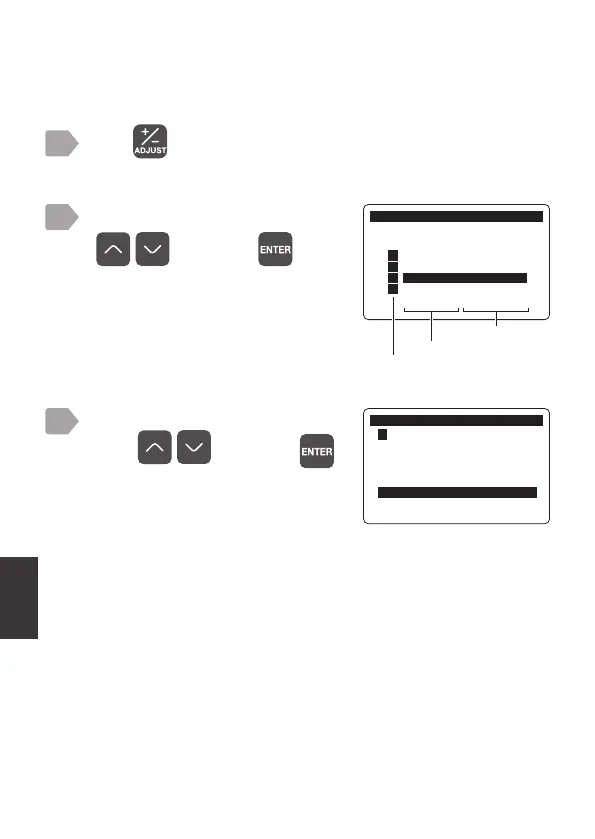
Perform the following steps to shorten the sensor cap replacement timer
according to the measurement target.
Press .
The measurement item selection display is displayed.
1
2
Select [DO DOS-20] using
, and press .
Sensor cap replacement timer setting
must be set for each sensor. The set-
ting is not availble if [All] is selected.
The maintenance menu is displayed.
The number of days remaining in the
set sensor cap replacement timer is
displayed to the right of the timer.
0DLQWHQDQFH
6HQVRU6HOHFW
㸯S+6(S+'
㸰7XUE7&'
㸱'2'26
㸲
$//
Measurement item
Sensor model
3
Select [Sens. Cap Replacement]
using , and press .
0DLQWHQDQFH
㸱'2'26
+2/'
+2/'7LPHUPLQ
0DLQWHQDQFH7LPHUGD\V
6HQV&DS5HSODFHPHQWGD\V



 To Next Page