Maintenance
Setting
45
4
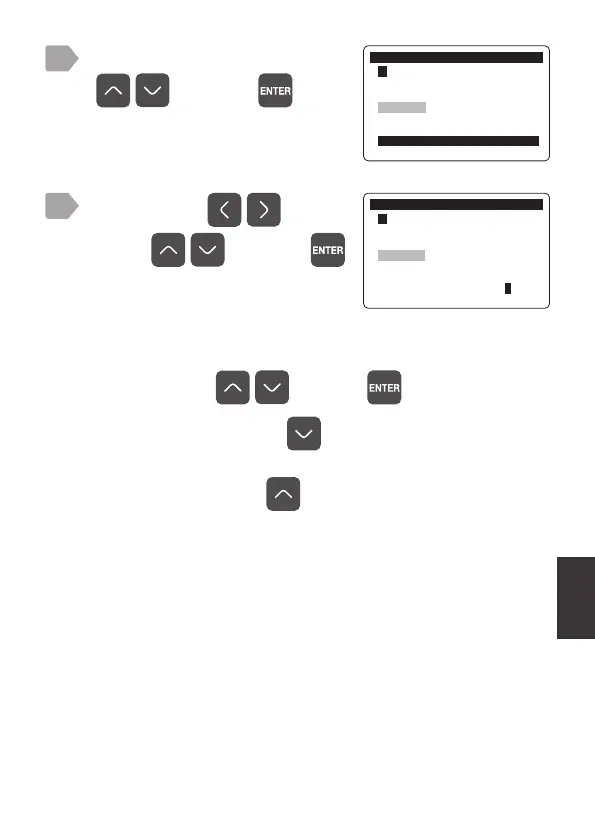
Select [Timer Setting] using
, and press .
0DLQWHQDQFH
㸱'2'26
6HQV&DS5HSODFHPHQW
UHPDLQLQJࠉࠉࠉࠉࠉࠉGD\V
7LPHU&OHDU
7LPHU6HWWLQJࠉࠉGD\V
0DLQWHQDQFH
㸱'2'26
6HQV&DS5HSODFHPHQW
UHPDLQLQJࠉࠉࠉࠉࠉࠉGD\V
7LPHU&OHDU
7LPHU6HWWLQJࠉࠉGD\V
Select a digit by and
value by
, and press .
The entered number of days is fixed and
the display returns to the maintenance
menu.
5
To reset the elapsed days and set the days for the timer, select
[Timer Clear] using
, and press .
・
When the value is 30, press
to select [OFF], but operation in
[OFF] is not recommended.
・
When [OFF] is set, press
to display the sensor cap
replacement timer input display.



 To Next Page