Adjustment
37
Salinity adjustment
Perform correction for correct measurement of dissolved oxygen density
with a salty solution.
For solutions of the same water temperature, the saturated dissolved
oxygen content (mg/L) decreases as the salt content of the solution
increases. To measure the correct dissolved oxygen density, it is necessary
to correct the salinity even of solution containing salt.
The PSU increments represent the actual salinity increments (not units), and
they are the salinity values converted from the level of electrical conductivity.
Sea water is about 32 to 35 PSU.
Measurement item Setting range Factory default setting
Salinity Adjustment 0 to 42 0
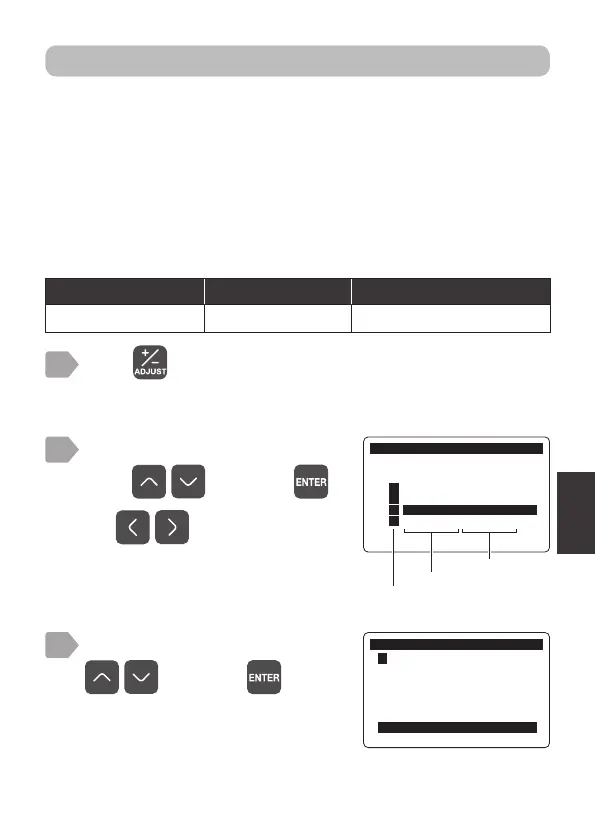
Press .
The measurement item selection display is displayed.
1
2
Select an item to correct salinity
using
, and press .
$GMXVW
0HDVXUHPHQW,WHP6HOHFW
㸯S+ࠉ6(S+'
㸰7XUE7&'
㸱'2'26
㸱7HPS'26
Measurement item
Sensor model
Use to switch pages.
The adjustment menu is displayed.
3
$GMXVW
㸱'2'26
2IIVHW$GMXVWPHQWPJ/
6SDQ$GMXVPHQW
3RLQW$GMXVWPHQW
,QLWLDOL]H$GMXVWPHQW9DOXH
6DOLQLW\$GMXVWPHQW368
$OWLWXGH$GMXVWPHQWP
Select [Salinity Adjustment] using
, and press .



 To Next Page