8
3
Attaching the Sensor Cap
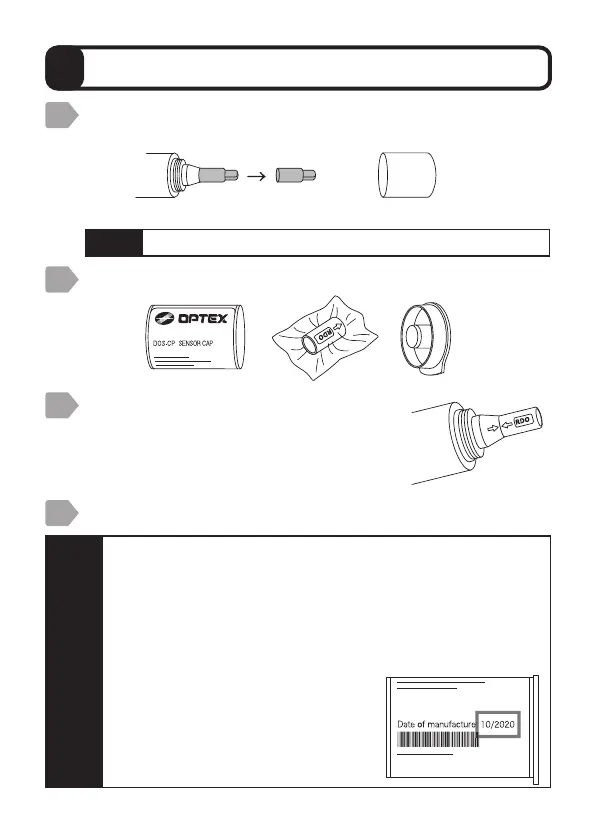
Rotate the protective cover and remove it from the sensor,
and then remove the red protective cap.
Remove the sensor cap supplied from the storage case.
Align the arrows on the sensor cap and
the sensor, push the sensor cap straight
onto it and then press it into place while
making sure there are no gaps.
Protective cap Protective cover
Reattach the protective cover.
Caution
・
Before reattaching the cover, check to make sure the O-ring on
the sensor has not become detached from the torsion or groove.
・
Remove the sensor cap from the vacuum pack just before
attaching it, and then attach it as soon as possible.
・
Make sure that the sensor cap is attached so that dust or
moisture is unable to enter.
Failure to observe this may result in incorrect measurements.
・
The date of manufacture is listed at
the location indicated by the illustration
on the sensor cap storage container.
1
2
3
4
Caution
Store the protective cap for later use.



 To Next Page