Calibration
24
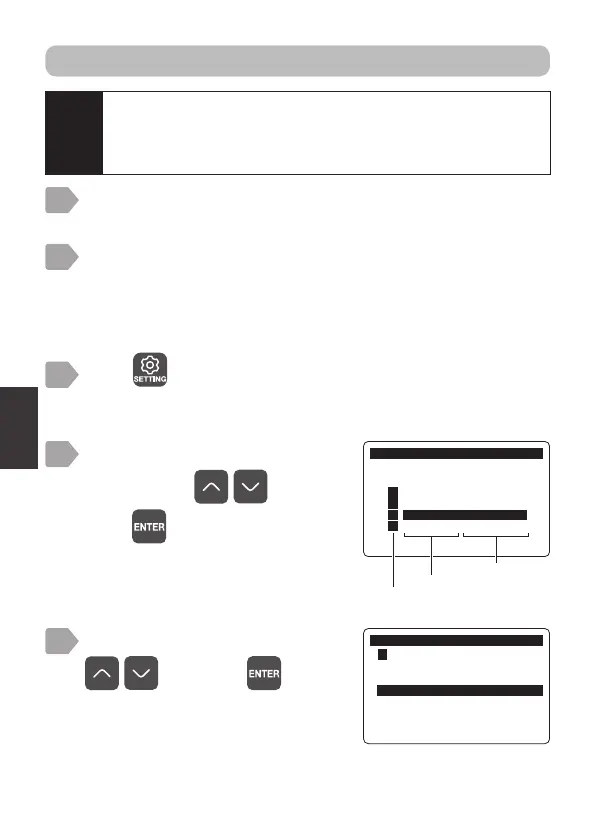
Select [2-Point Cal.] using
, and press .
&DOLEUDWLRQ
㸱'2'26
3RLQW&DO'2
3RLQW&DO'2
2SWLRQDO'HQVLW\'2
,QLWLDOL]H&DOLEUDWLRQ9DOXH
5
&DOLEUDWLRQ
6HQVRU6HOHFW
㸯S+6(S+'
㸰7XUE7&'
㸱'2'26
㸲
Measurement item
Sensor model
Sensor channel
4
Press .
The sensor selection display is displayed.
Prepare the 1st point calibration.
Prepare the 1st point calibration (100% saturation calibration) based
on the 1-point calibration steps. (Refer to “1-point calibration: 100%
saturation calibration” P.22, steps 2 to 4.)
3
2
Prepare calibration (“Preparation” P.21).
1
2-point calibration: 100% saturation calibration and 0-point calibration
Caution
It is necessary to perform altitude adjustment in order to achieve
accurate calibration when using the sensor in highlands.
The default setting for this is 0 m. Refer to “Altitude adjustment”
P.39 for details on amending the setting.
The calibration menu is displayed.
Select a channel connected to
DOS-20 using
, and
press
.



 To Next Page