Chapter 3 - How to...
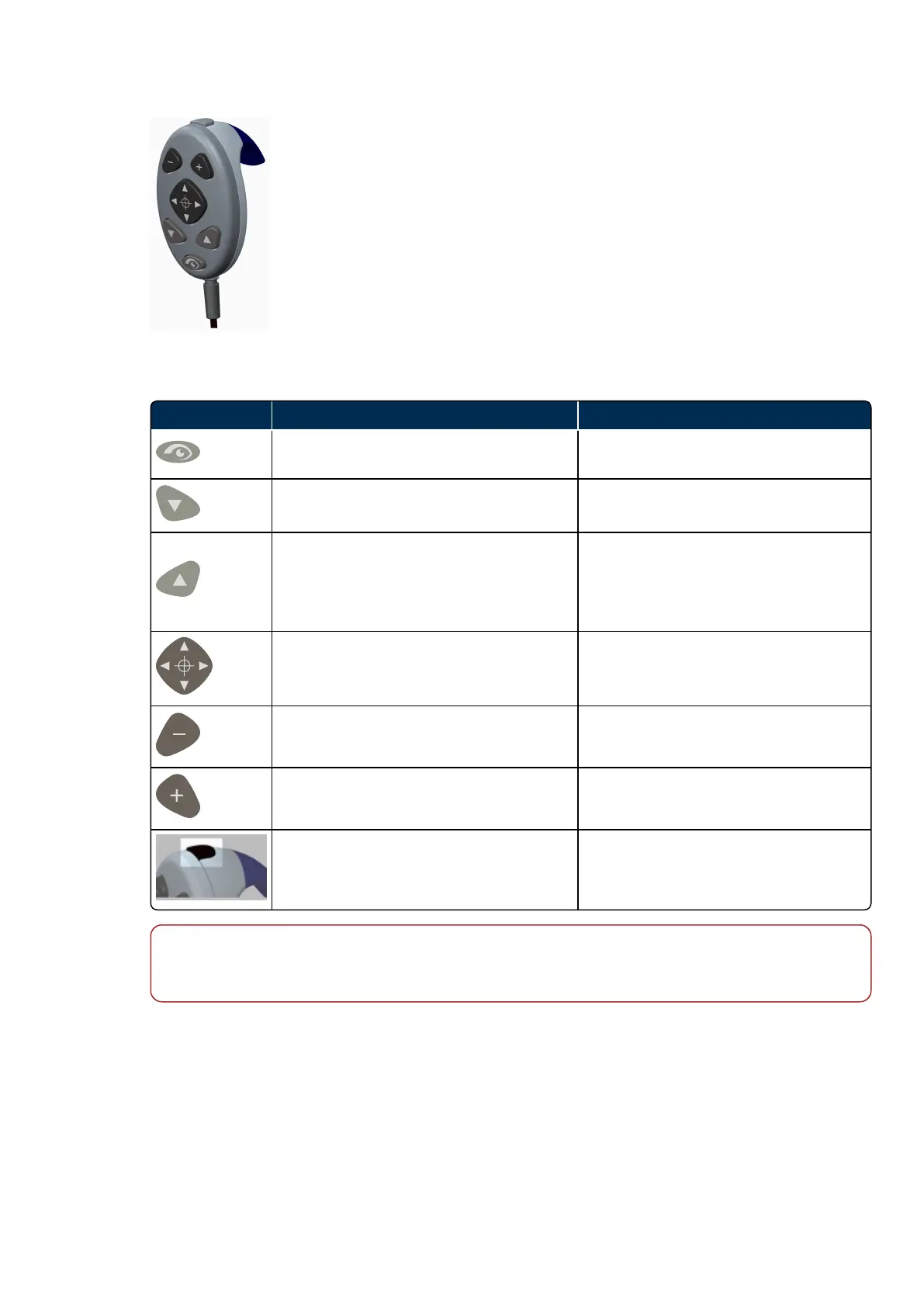
FIGURE 7: Hand control
TABLE 4: List of hand control buttons
Control Description XYZ mode Description OCTmode
Toggle between XYZ and OCT adjustment
modes when capturing OCT scans.
Toggle between XYZ and OCT adjustment
modes.
Lower chin rest.
Move the depth position of the OCT scan
downwards, towards the choroid.
Raise chin rest.
Move the depth position of the OCT scan
upwards, towards the vitreous.
The higher the position the higher the
sensitivity.
Fine adjustment left, right, up and down.
Move the scan location left, right, up and
down.
Fine adjustment to move the alignment
system further from the patient.
Move the focus within the OCT scan
towards the choroid.
Fine adjustment to move the alignment
system closer to the patient.
Move the focus within the OCT scan
towards the vitreous.
Press the top button on the hand control to
capture an image.
Press the top button on the hand control to
capture a scan.
Note
When capturing OCT scans, always wait for the auto routines (position, depth and focus) to complete
before making manual adjustments. Allow the system to respond after making each adjustment.
3.1.3.4 Using the chin rest and head rest
The chin rest and head rest support the patient's head while images are being captured. The chin rest
comprises a chin pad that supports the chin to help stabilize the patient's head.
You can make adjustments using the hand control, see Using the hand control on the previous page.
The head rest comprises a forehead pad that supports the patient's head.
The chin rest and head rest should be kept clean, see Cleaning before each patient on page53.
Part Number: G110230/1ENG Page 33 of 72
Copyright 2019, Optos plc. All rights reserved. English



 To Next Page