Chapter 3 - How to...
9. The z-alignment co-ordinates are shown. Ideally these should be as near to zero as practical,
depending on the patient being imaged.
10. Capture the required image modality from the following list:
Reference
How to capture SLO images 39
How to capture SLO eye steered images 40
How to capture SLO stereo images 41
How to capture OCT images 43
How to capture SLO angiography images 42
3.2.4 How to capture SLO images
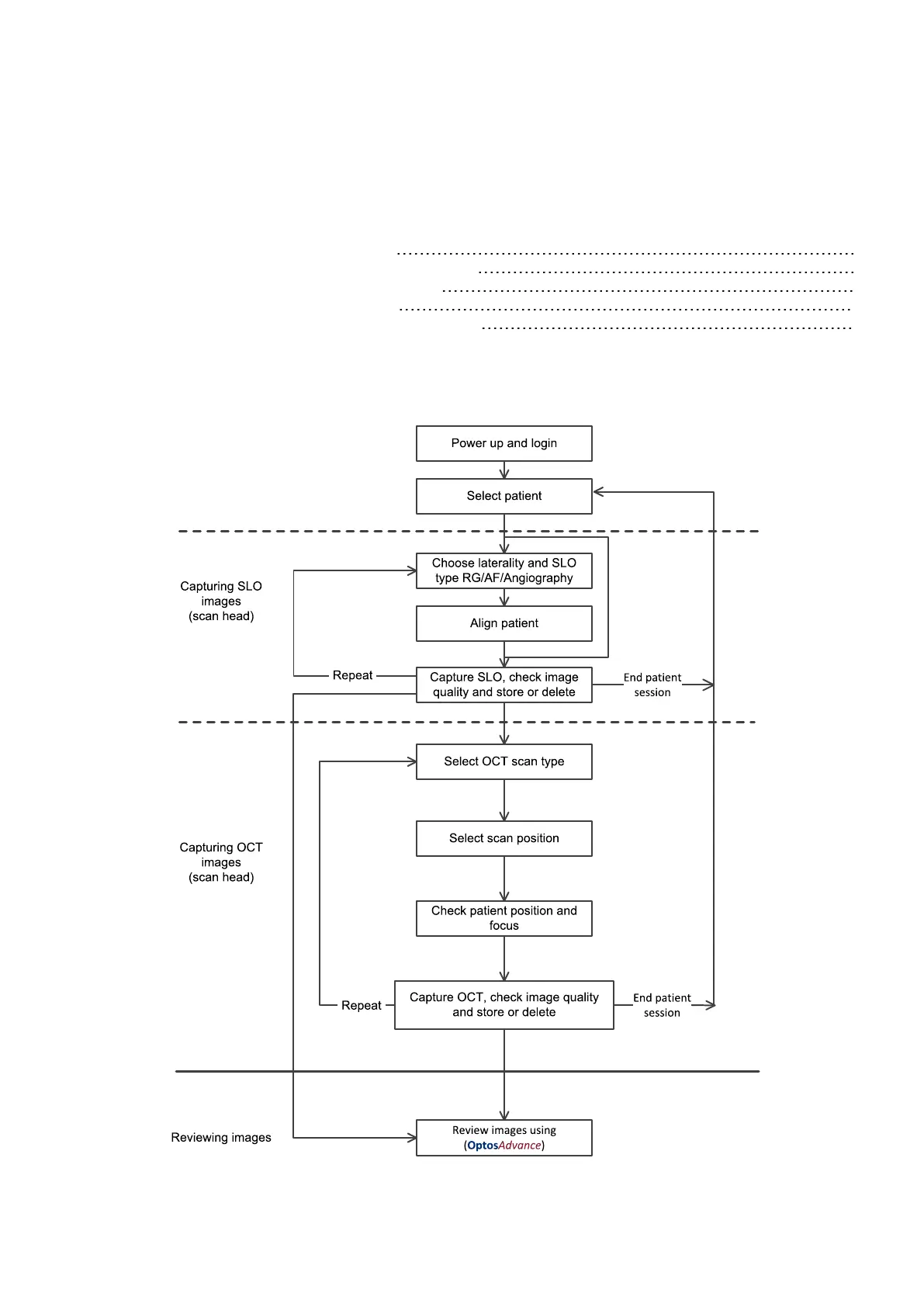
To capture SLO images use the procedure below:
FIGURE 12: SLO capture workflow
Part Number: G110230/1ENG Page 39 of 72
Copyright 2019, Optos plc. All rights reserved. English



 To Next Page