CAUTION
Only install software when supplied and instructed by Optos.
Installing new software
Contact Optos Customer Support if you need to install other software (see Contact us
on page79).
Updating existing software
Your System Administrator should carry out software upgrades using the software and
instructions provided by Optos.
Do NOT accept software updates when you are about to image a patient.
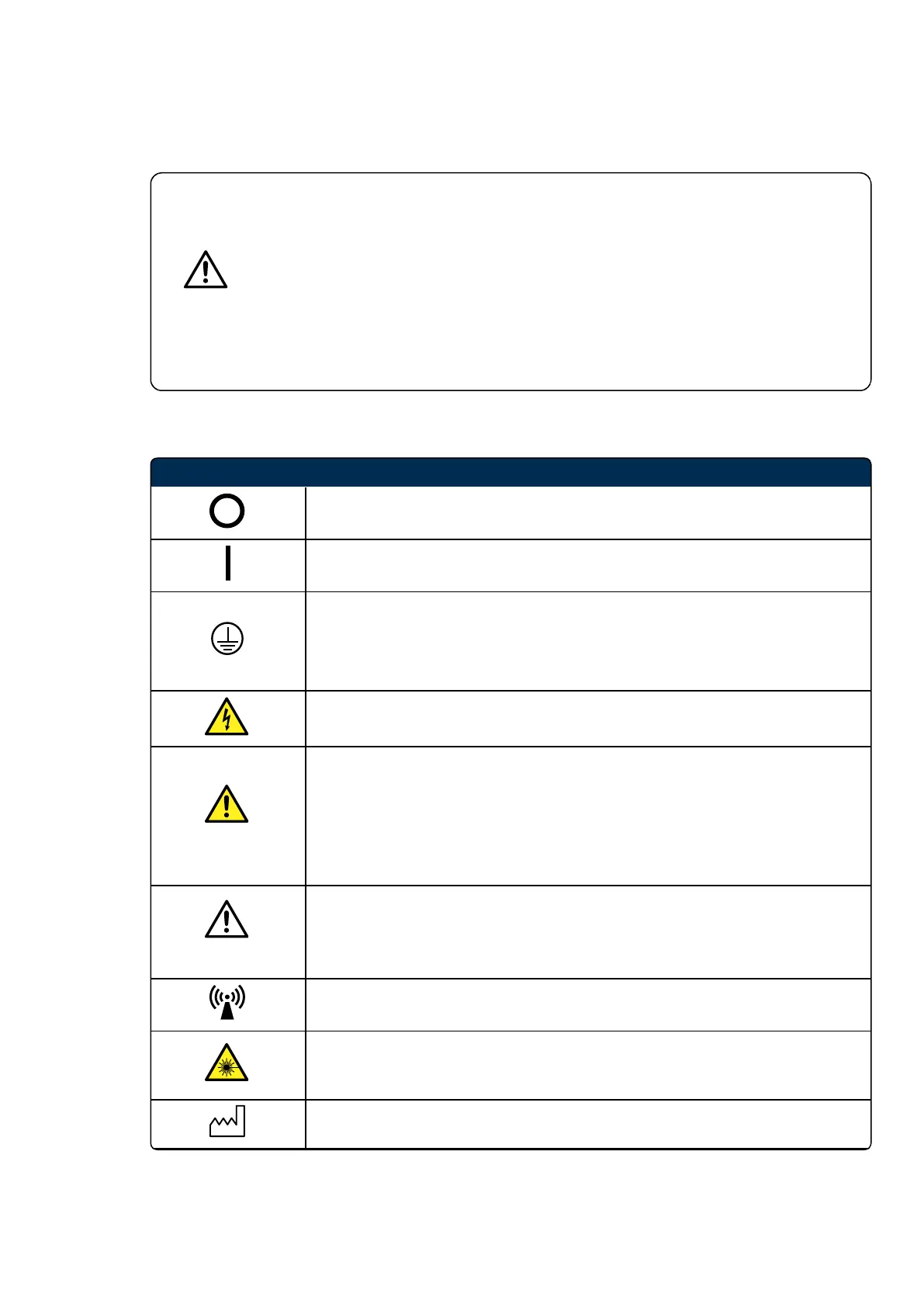
Symbol and label information
Switch - OFF position.
Switch - ON position.
Protective earth terminal.
Protective earth product is achieved via the mains input. Threaded studs are
included on the product as provision for mechanical fixing and an additional
protective earth connection should this be required.
Danger: high voltage warning.
WARNING
Warnings are directions which, if NOT followed, could cause:
l Fatal or serious injury to a user, engineer, patient or any other person.
l Damage to the equipment described in this manual and/or other equipment
or goods.
l Environmental pollution.
CAUTION
Cautions are directions which, if NOT followed, could cause:
l A hazardous situation for a user, engineer, patient or any other person.
l Damage to the equipment or loss of data.
Interference may occur in the vicinity of equipment marked with this symbol.
Laser device present. This symbol is used internally. Only Optos trained
personnel are permitted to service the device. Under normal use, operators
should never see this symbol.
Date of manufacture.



 To Next Page