Chapter 2 - Introduction
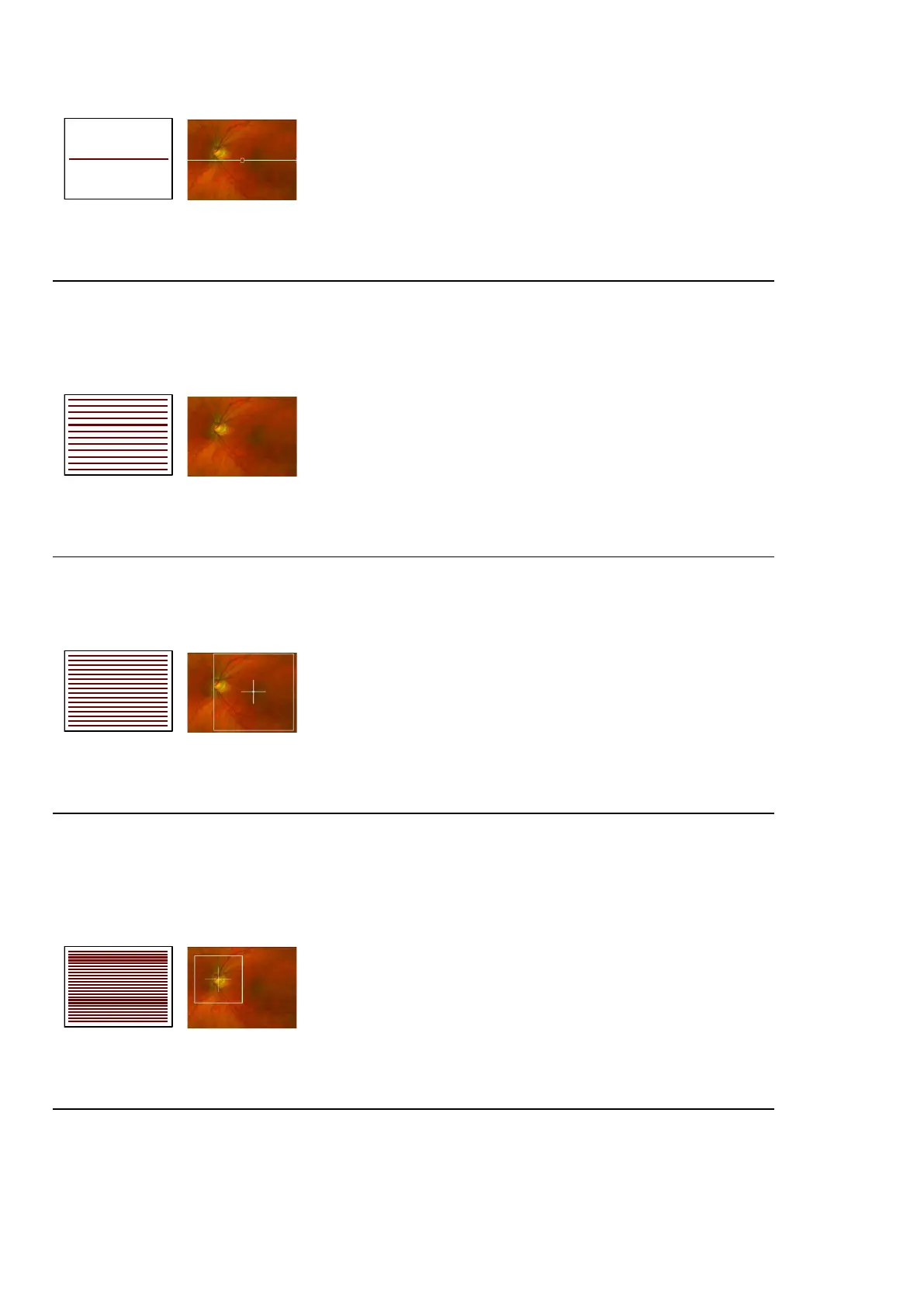
FIGURE 3: Optos OCT line scan example position and scan pattern
Optos OCT raster scan
Captures a raster scan of OCT images covering a 48 x 30 degrees (14 mm x 9 mm) central field of view.
The Optos OCT raster scan comprises 121 horizontal line scans.
The Optos OCT raster scan moves automatically through the scan volume and lets you capture the macula
and optic nerve head within a single OCT volume scan.
FIGURE 4: Optos OCT raster scan example area, scan pattern and fixed center
Optos OCT retina scan
Captures a high density raster scan of OCT images covering a 30 x 30 degrees (9 mm x 9 mm) field of view
and centered around the macula. The Optos OCT retina scan comprises 111 horizontal line scans.
The fovea should be in the center for all macula scans. Ensure the cross-hairs are centered on the macula.
FIGURE 5: Optos OCT retina scan example scan area and cross hairs
Optos OCT optic nerve head scan
Captures a high density raster scan of OCTimagescovering a 20 x 20 degrees (6 mm x 6 mm) field of view
centered around the optic nerve head. The Optos OCT optic nerve head scan comprises 111 horizontal
line scans.
The optic disc should be in the center for all optic disc scans. Ensure the cross-hairs are centered on the
optic nerve head.
FIGURE 6: Optos OCT optic nerve head scan example target and scan lines
Optos OCT ultra-widefield line scan
The ultra-widefield line scan can be positioned anywhere within an on-axis optomap image. It generates a
cross-sectional OCT image of 20 degrees (6 mm) in length.
Page 26 of 84 Part Number: G110230-003-ENG
English Copyright 2019-2021, Optos plc. All rights reserved.



 To Next Page