Chapter 4 - Capture images
4 Capture images
These procedures should be used as the basic procedure for all image captures. Please contact your
Optos representative if the image modality you want is NOT available (see Contact us on page79).
To achieve optimal patient positioning the patient is typically seated in front of the device. Space may be
required to allow the table height to be adjusted while the patient is sitting in the chair.
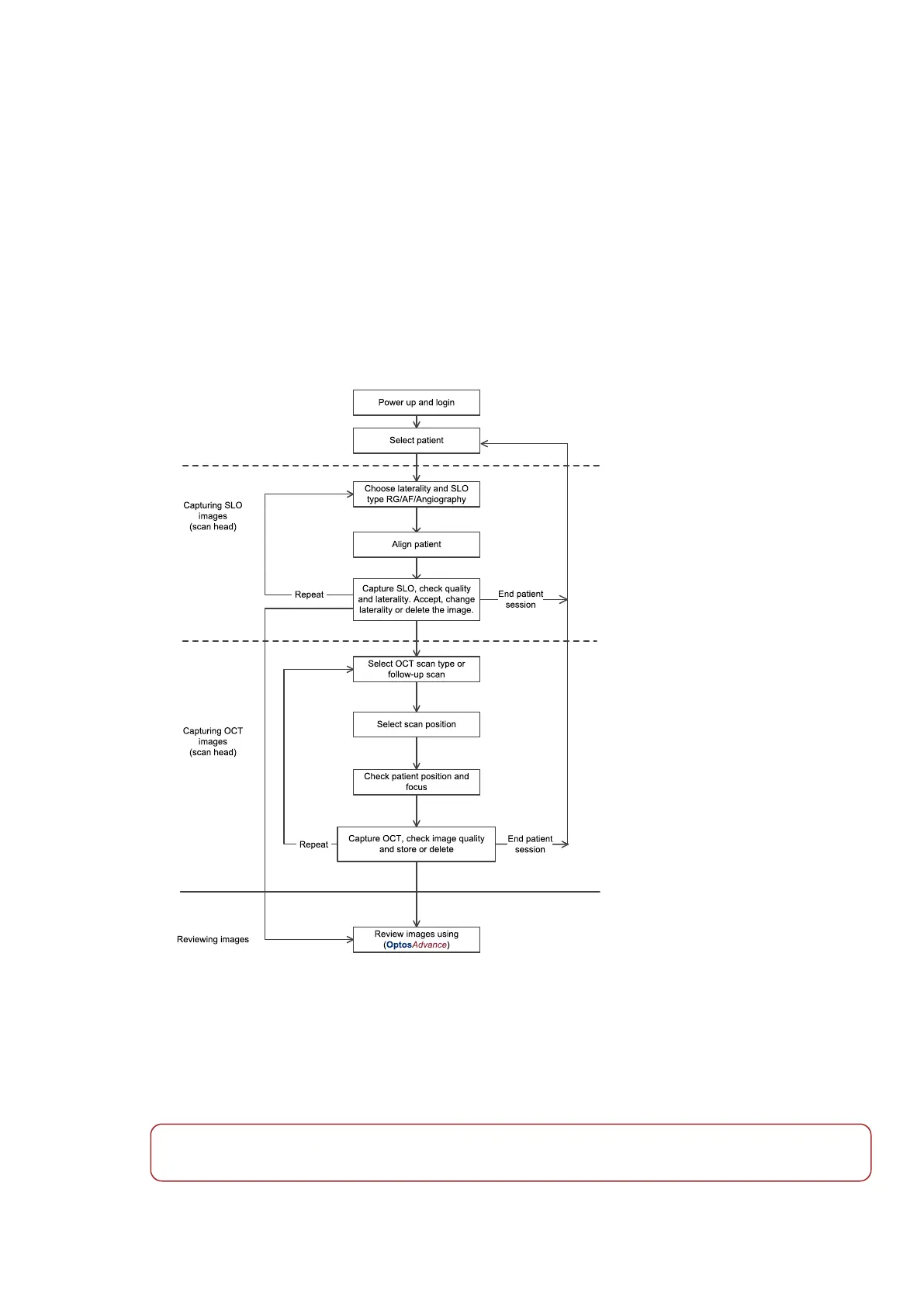
To capture and review images and scans use the procedures below.
FIGURE 9: Example capture and review workflow
4.1 Selecting and managing patient details
Patients can be selected from the patient search screen or by selecting a patient order from MWL. Use the
touch screen to search for an existing patient. You can use the mode selector to select each field to be
searched.
Note
Depending on your configuration, a subset of the search criteria may be available.
Part Number: G110230-003-ENG Page 35 of 84
Copyright 2019-2021, Optos plc. All rights reserved. English



 To Next Page