PACD011001C2 Test Operation
Test Operation Urban Multi “MX1, ME1 Series” Using R-22 111
CZ-01·02RW Type
„
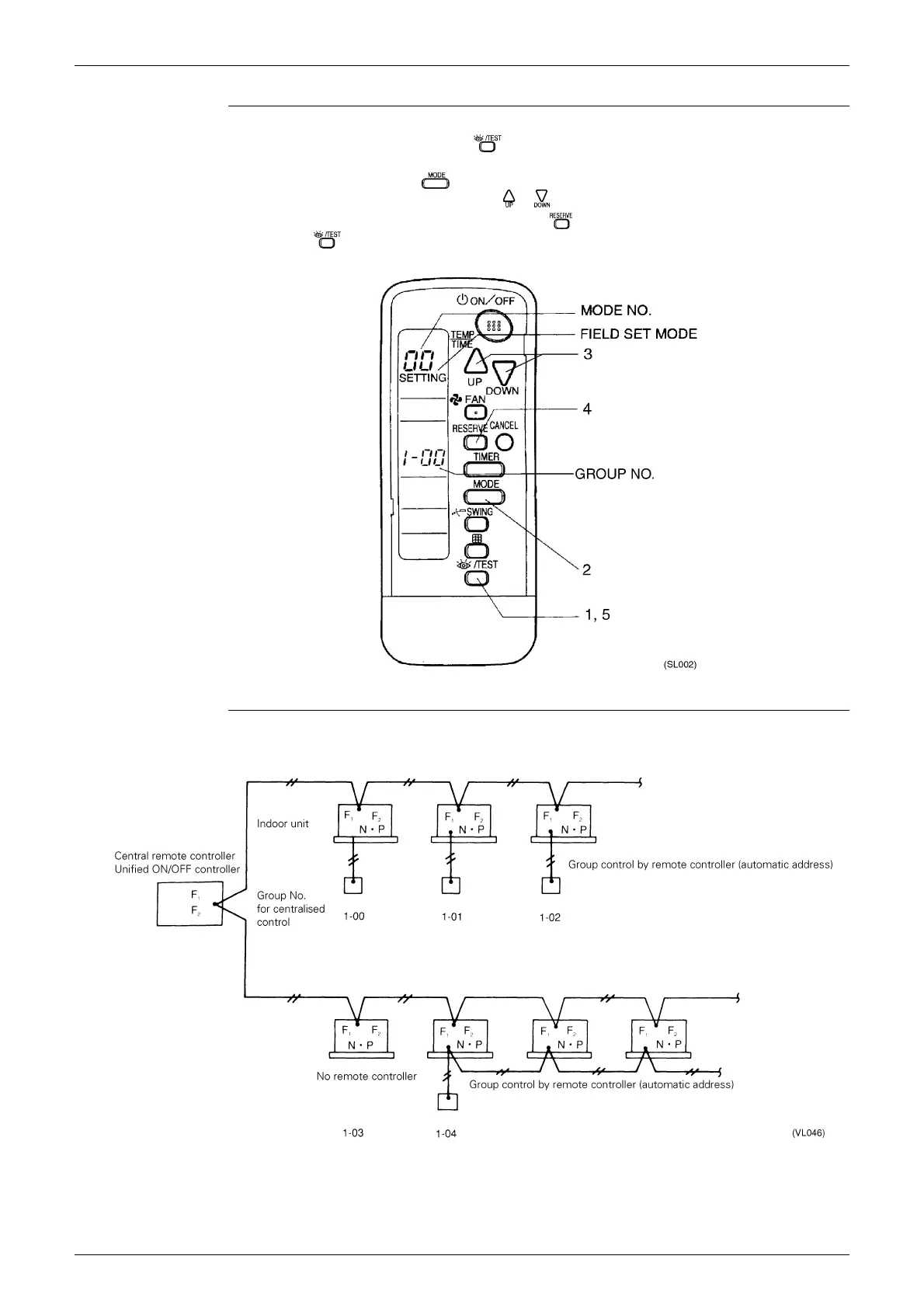
Group No. setting by wireless remote controller for centralised control
1. When in the normal mode, push the button for 4 seconds or more, and operation then enters
the “field set mode.”
2. Set mode No. “00” with the button.
3. Set the group No. for each group with the button (advance/backward).
4. Enter the selected group numbers by pushing the button.
5. Push the button and return to the normal mode.
Group No. Setting
Example
„
If you have to set the address for each unit for calculating cost, etc., set the mode No. to “30.”





 To Next Page