Troubleshooting by Remote Controller PACD011001C2
494 Troubleshooting UM Combination “MA1R Series” Using R-407C
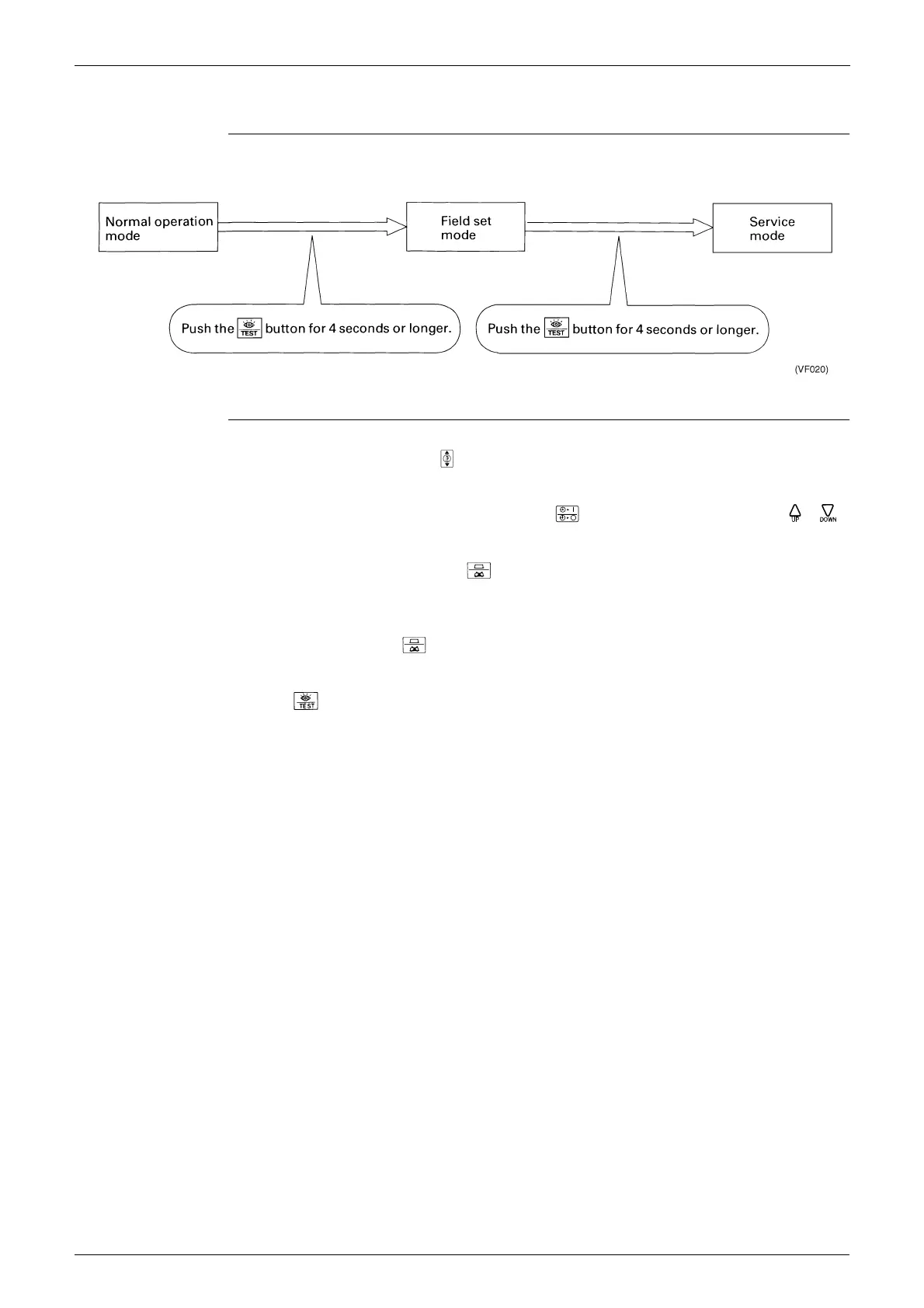
2.5 Remote Controller Service Mode
How to Enter the
Service Mode
Service Mode
Operation Method
1. Select the mode No.
Set the desired mode No. with the button.
(For wireless remote controller, Mode 43 only can be set.)
2. Select the unit No. (For group control only)
Select the indoor unit No. to be set with the time mode . (For wireless remote controller,
button.)
3. Make the settings required for each mode. (Modes 41, 44, 45)
In case of Mode 44, 45, push the timer button to be able to change setting before setting work.
(LCD “code” blinks.)
For details, refer to the table in next page.
4. Define the setting contents. (Modes 44, 45)
Define by pushing the timer button.
After defining, LCD “code” changes blinking to ON.
5. Return to the normal operation mode.
Push the button one time.





 To Next Page