190
Setting of the marking energy upper/lower limits
To conrm the stability of the marking energy, set the upper and lower limits.
If the measurement results is out of this limit, warning message appears.
Reference
• Conrm the marking energy with the actual test marking.
Based on this measurement, rst set rather lower laser power to radiate the laser, change the setting value gradually
while check the marking quality to set the upper/lower limits.
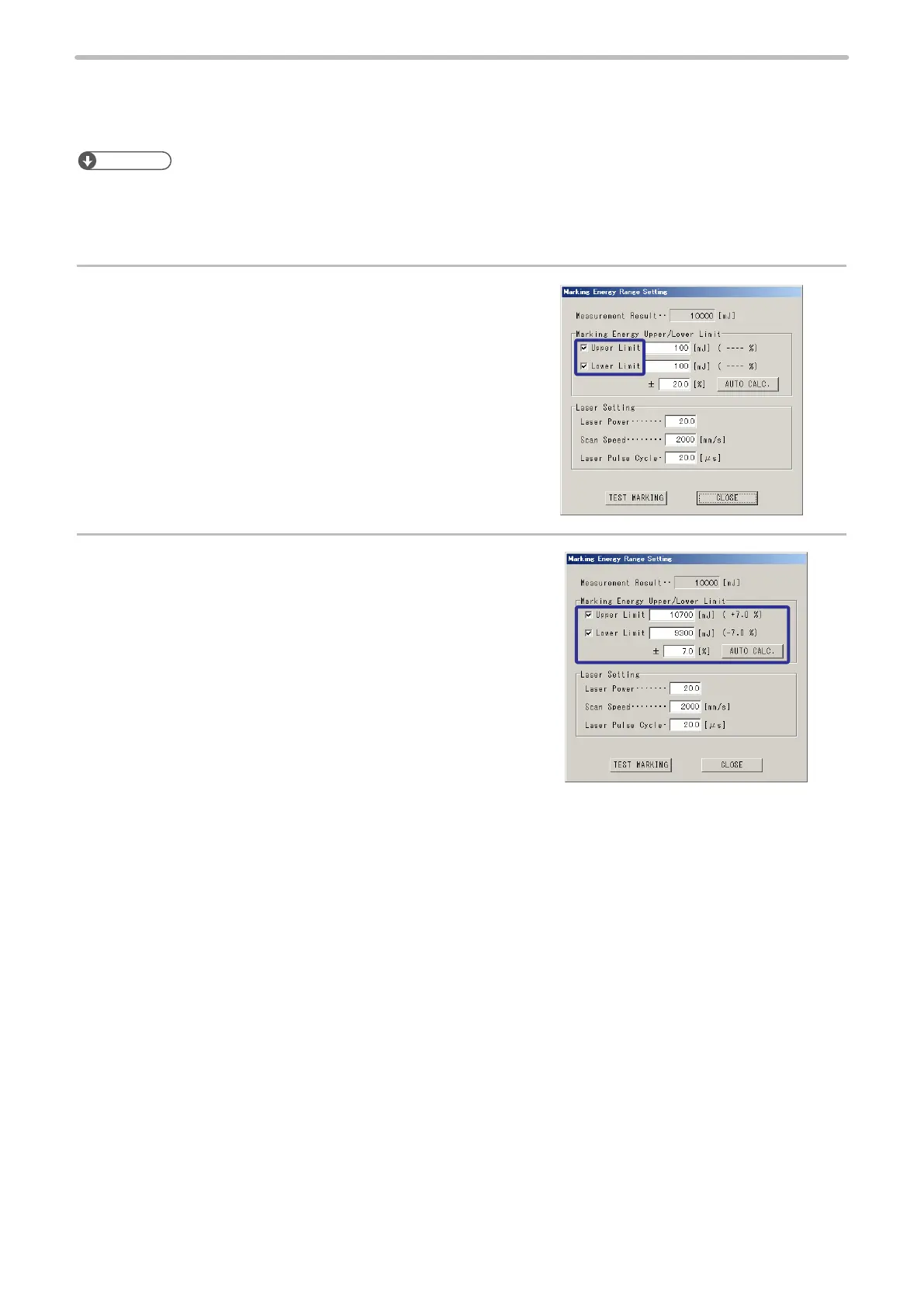
1.
Enable the upper/lower limit setting.
2.
Input the tolerance [%] of the marking energy and press
[AUTO CALC.]. (auto setting)
Or input any value for upper and lower limits. (manual
setting)



 To Next Page