96
2-7 FILE
This screen is prepared for registering le into inner of laser marker and changing le No.
The le can be registered by two methods, overwriting and registering to other No. Registering in wrong method could
delete the content already registered. Take care of the registering method.
2-7-1 Comment
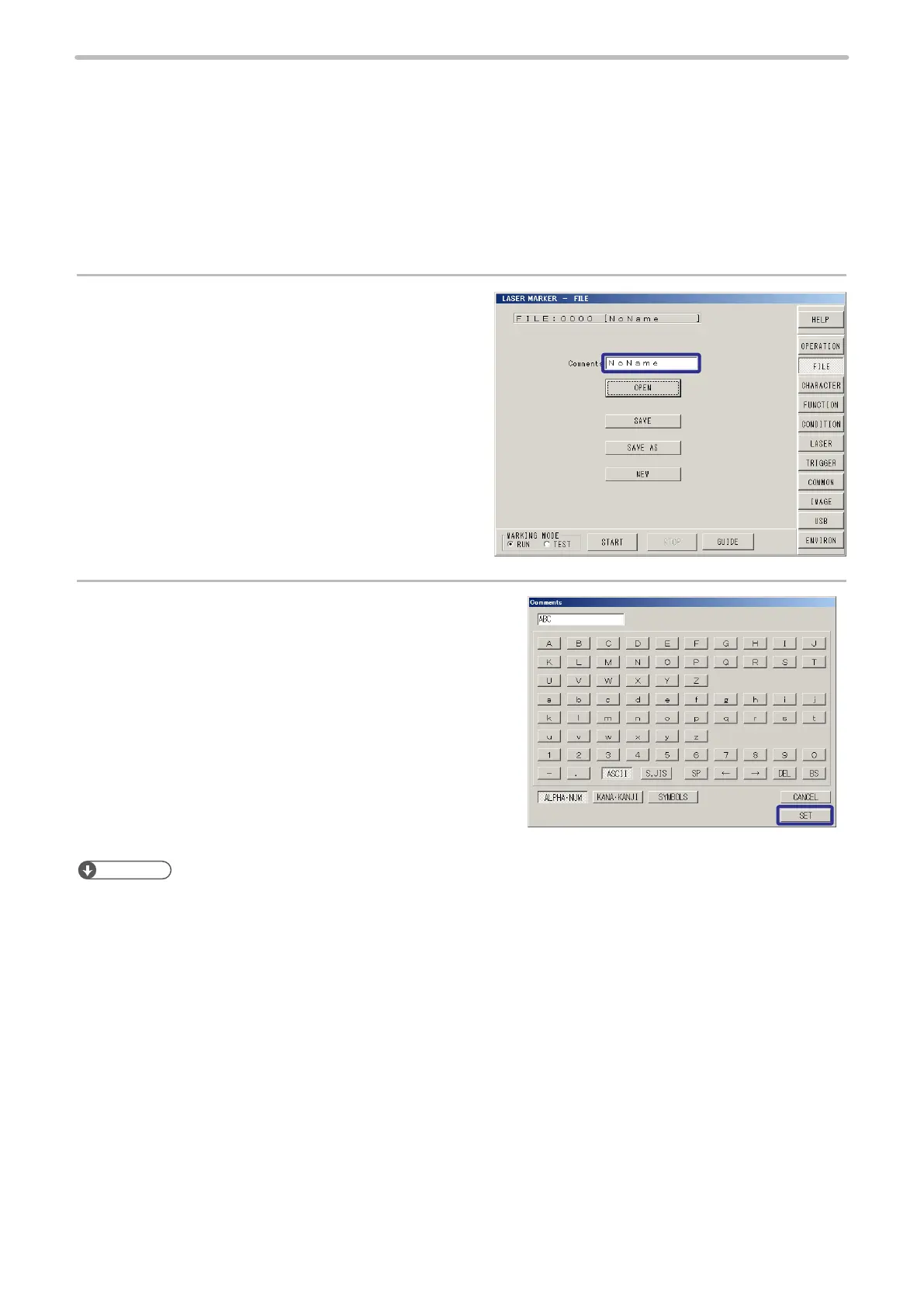
Register the le name into the laser marker with the following procedure. Each le can be registered the le name with the
following procedure.
1.
Press the character string of the Comments.
2.
Input the comment, and press [SET].
Refer to “2-8-2 Character Input” (P.104) for setting method.
Reference
• Characters that can be used for input are as follows:
Capital and small letters of alphabet, numerics, Katakana, Hiragana, Kanji (JIS level-1 and JIS level-2) symbols
• Up to 20 characters can be input in case of inputting all single-byte (ASCII) letter.



 To Next Page