191
2-11-3 Detail Adjustment (Laser Setting)
1 5
2
6
3
7
4
The following ne adjustments are allowed.
Description
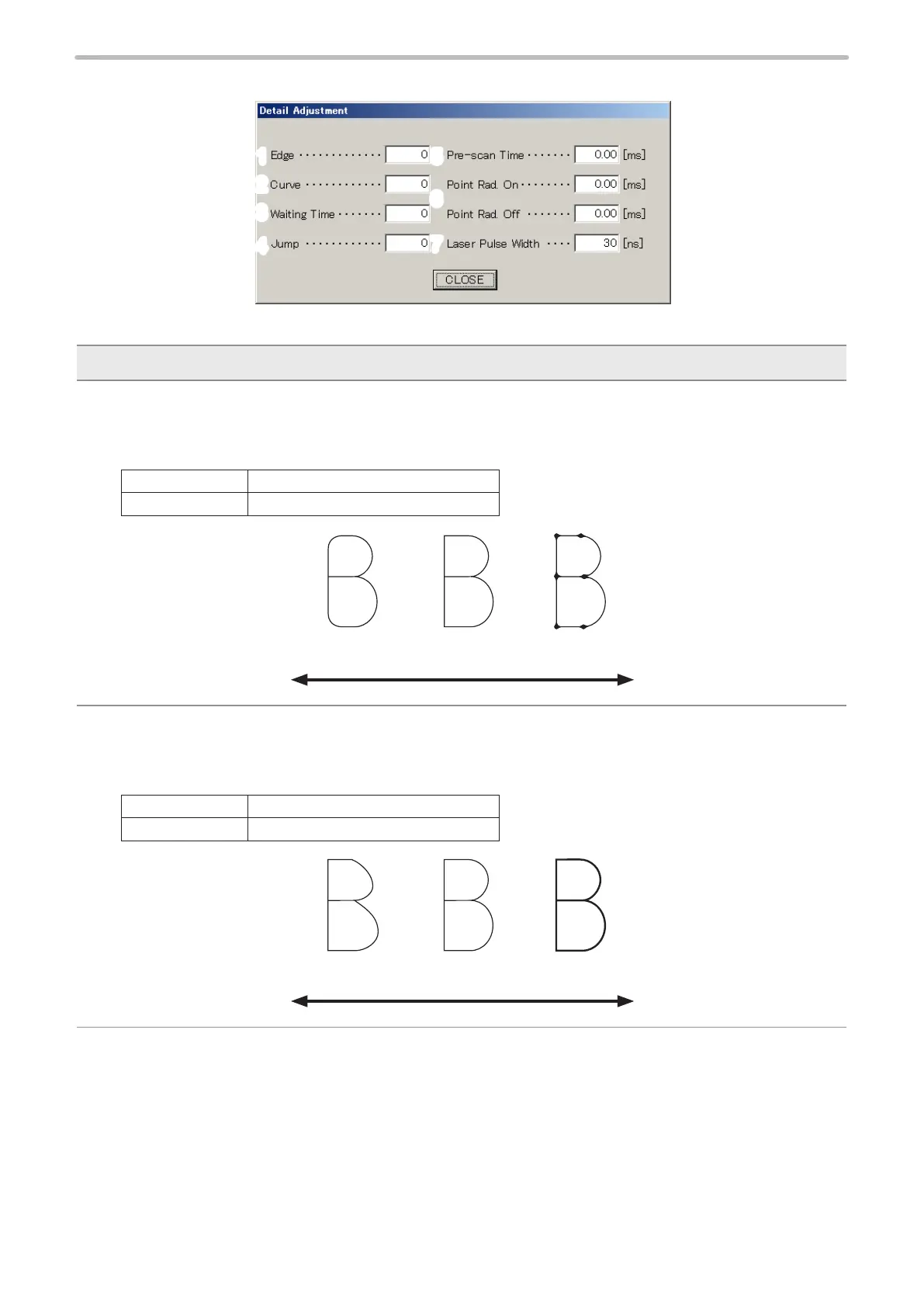
1 Edge (Edge Adjustment) :
Adjust the edge of line in the character to be marked.
Though setting a small value here can shorten the marking time, the line edge becomes dull.
Setting large value makes the edge thick.
Setting Range 0 to 100
Initial Value 0
Round Edge Dark (Deep) EdgeProper
Small Large
2 Curve (Curve Adjustment) :
The shape of curve line in the character to be marked is adjusted.
Though setting a small value here can shorten the marking time, the curve line is distorted.
Setting large value makes the edge thick.
Setting Range 0 to 100
Initial Value 0
Curve Line Distorted Dark (Deep) LineProper
Small Large



 To Next Page