55
1-4 Basic Setting for Marking 3D Figure
[Function specic to LP-M /LP-Z series]
* This function is not implemented in the LP-S series.
1-4-1 Mark on Slope
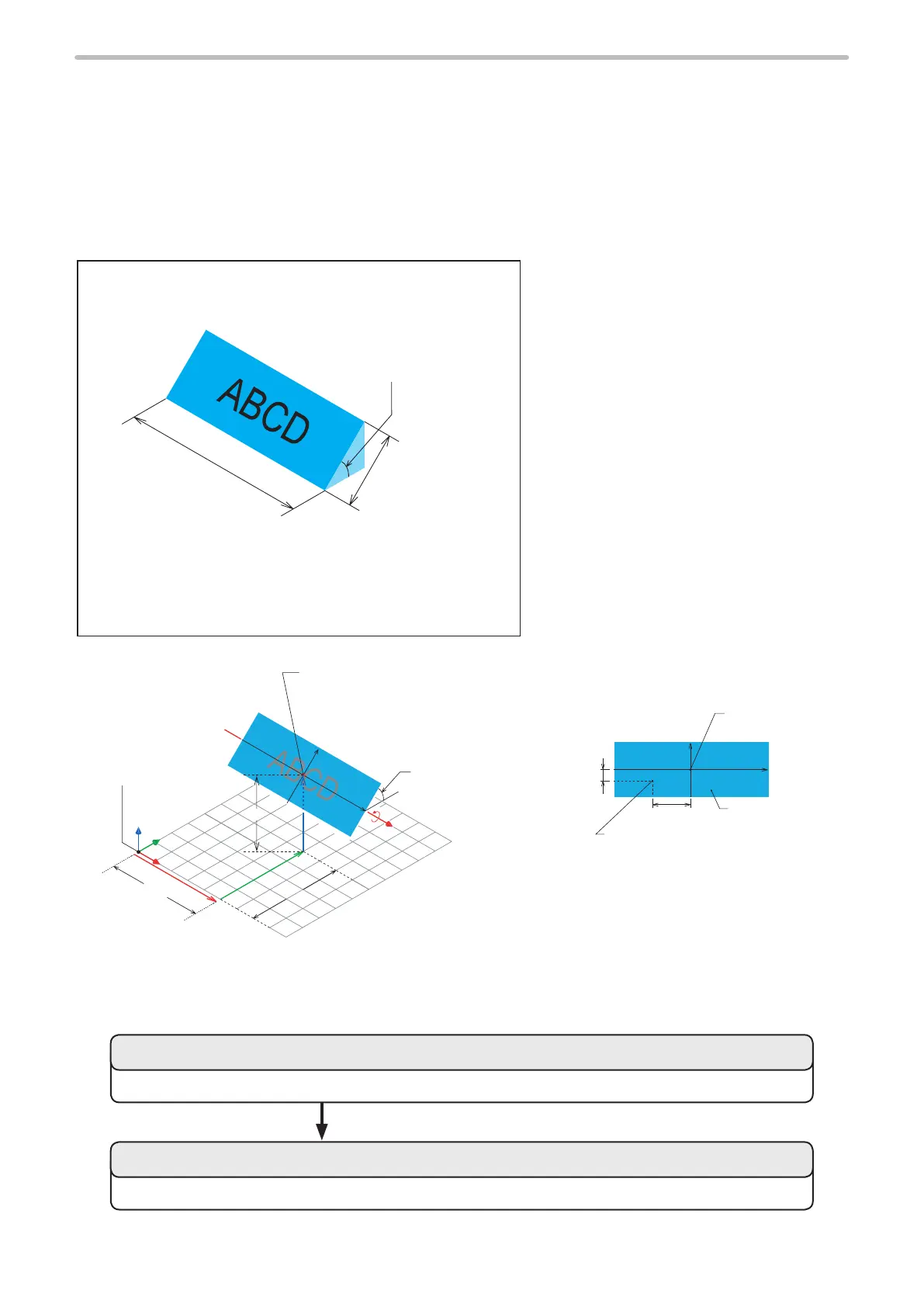
Sample
Rotation Angle X: +45 degree
Slope Length: 10 mm
Slope Width: 30 mm
[Setting of gure]
• Layer No. : 0
• Work Type : Slope
• (Slope) Length : 10 mm
• (Slope) Width : 30 mm
• Rotation Angle X : +45 degree
• Center Position X : 20 mm
• Center Position Y : 20 mm
• Center Position Z : 16 mm
[Character condition]
• Marking content : ABCD
• Starting Coordinate X : -8 mm
• Starting Coordinate Y : -2 mm
• Character Height : 4 mm
Marking Image
• Character Width : 3 mm
• Character Interval : 4 mm
X
Y
Z
X
Y
+
20mm
16mm
20mm
Original Point of
Local Coordinate)
(Center of 3D Figure)
Rotation Angle X :
+45 degree
Original Point of
World Coordinate
ABCD
X
Y
Original Point of
Local Coordinate
X Position, Y Position
(Character Condition)
3D Figure (Slope)
-2 mm
-8 mm
Marking Figure Marking Character
Setting Flow
Set the character type and character position to be marked on the slope.
Set the size, angle, and center position of the slope to be marked on.
2. Set the marking conditions.
1. Set the slope.



 To Next Page