37
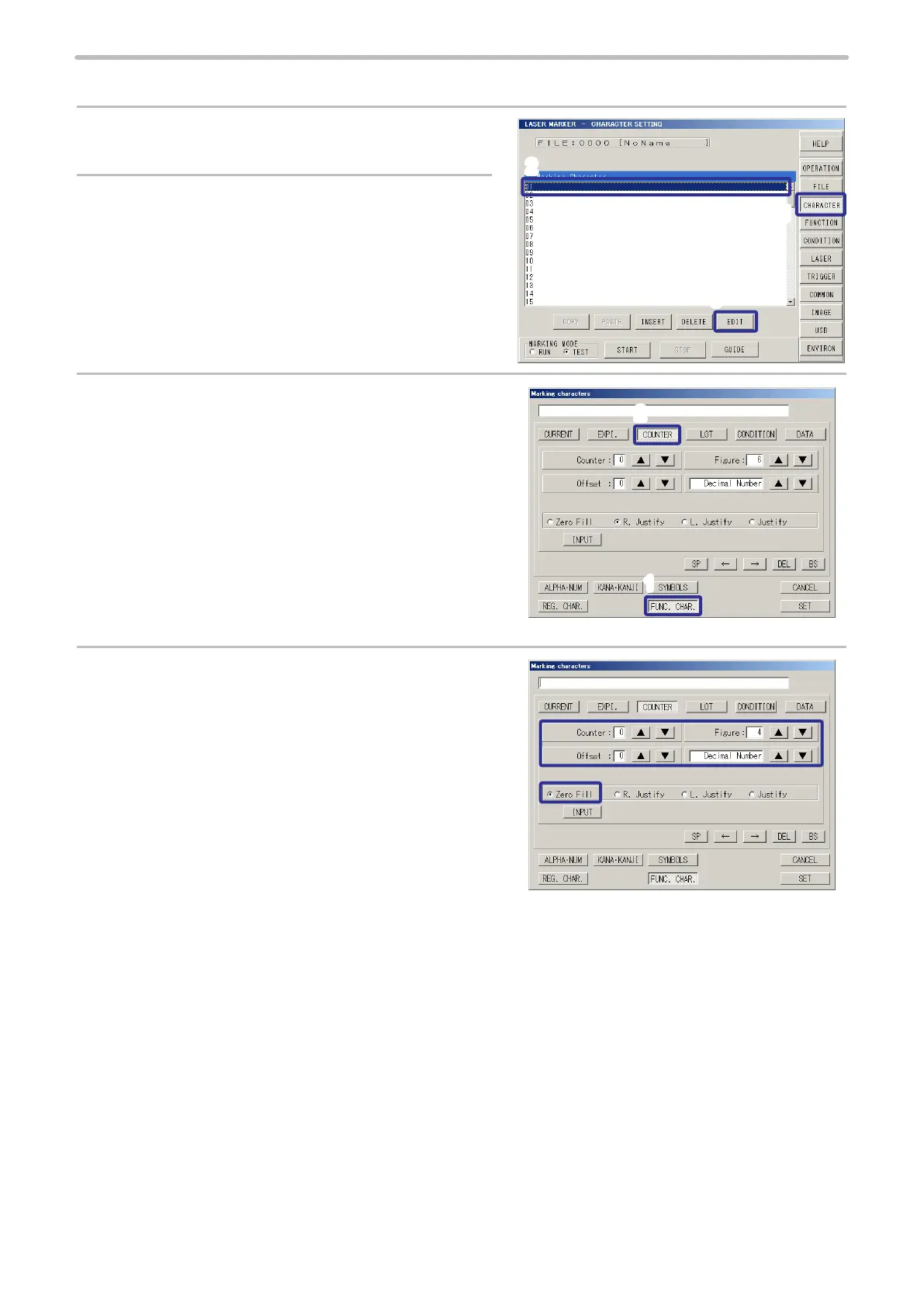
2. Input the counter function character.
1.
Press [CHARACTER].
The screen changes to the character setting screen.
2.
Select the rst line (01), and press [EDIT].
Or double-click the rst line (01).
3.
Press [FUNC. CHAR.] (FUNCTION CHARACTER)
and press [COUNTER].
4.
Set “0” to [Counter] (Counter Number).
Set “4” to [Figure].
Set “0” to [Offset].
Set the number to “Decimal Number”.
Select [Zero Fill] (Zero indication).
The gure can be set from 1 to 6.
The offset can be set from 0 to 9.
The number can be set from 2 binary to 36.
3
2
1
2
1



 To Next Page