64
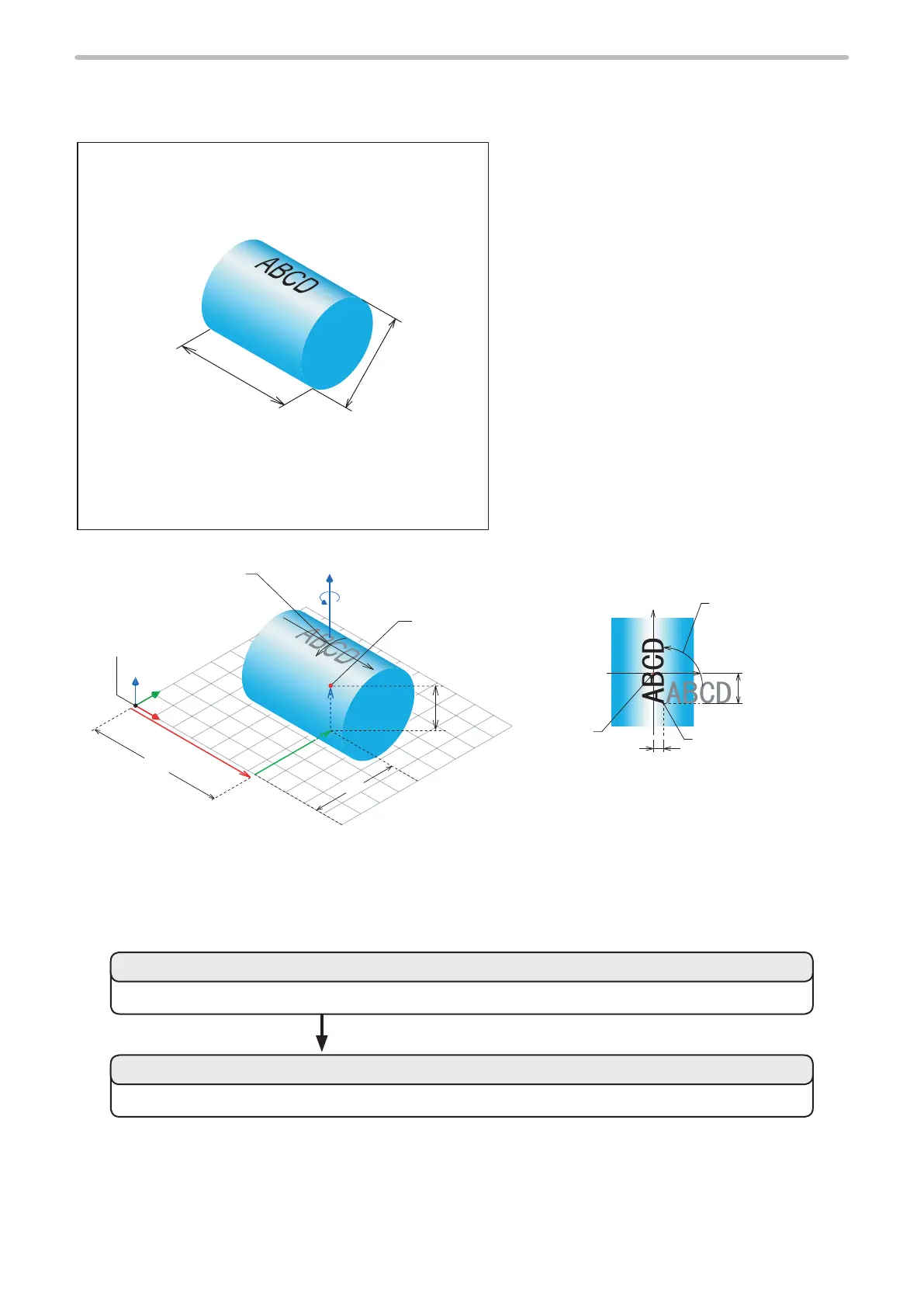
1-4-4 Mark on Cylinder (2)
Sample
Length of Cylinder: 24 mm
Diameter: 18 mm
[Setting of gure]
• Layer No. : 0
• Work Shape : Cylinder Convex
• Diameter : 18 mm
• Length : 24 mm
• Rotation Angle : -90 degree
• Center Position X : 28 mm
• Center Position Y : 18 mm
• Center Position Z : 9 mm
[Character condition]
• Marking content : ABCD
• Starting Coordinate X : 2 mm
• Starting Coordinate Y : -8 mm
• Character Height : 4 mm
• Character Width : 3 mm
• Character Interval : 4 mm
Marking Image
• Rotation Angle : 90 degree
X
Y
Z
X
Y
+
28mm
18mm
9mm
Original Point of
Local Coordinate
Center of
3D Figure
Rotation Angle Z: -90 degree
Original Point of
World Coordinate
Original
Point of
Local
Coordinate
Rotation
Angle: 90 degree
(Character Condition)
X Position, Y Position
(Character Condition)
X
Y
‑8mm
2mm
Marking Figure Marking Character
Setting Flow
Set the character type and character position to be marked on the cylinder.
Set the size, angle, and center position of the cylinder.
2. Set the marking condition.
1. Set the cylinder.



 To Next Page