84
Description
13 START/STOP :
Starts or stops RUN mode.
Under RUN mode, marking (laser emission) starts by setting ON the trigger input of the input terminal.
14 External Z Offset Value (LP-M / LP-Z series only) :
Displays the External Z Offset Value of parallel input value.
2-3-3 Password to Open the Setting Screen
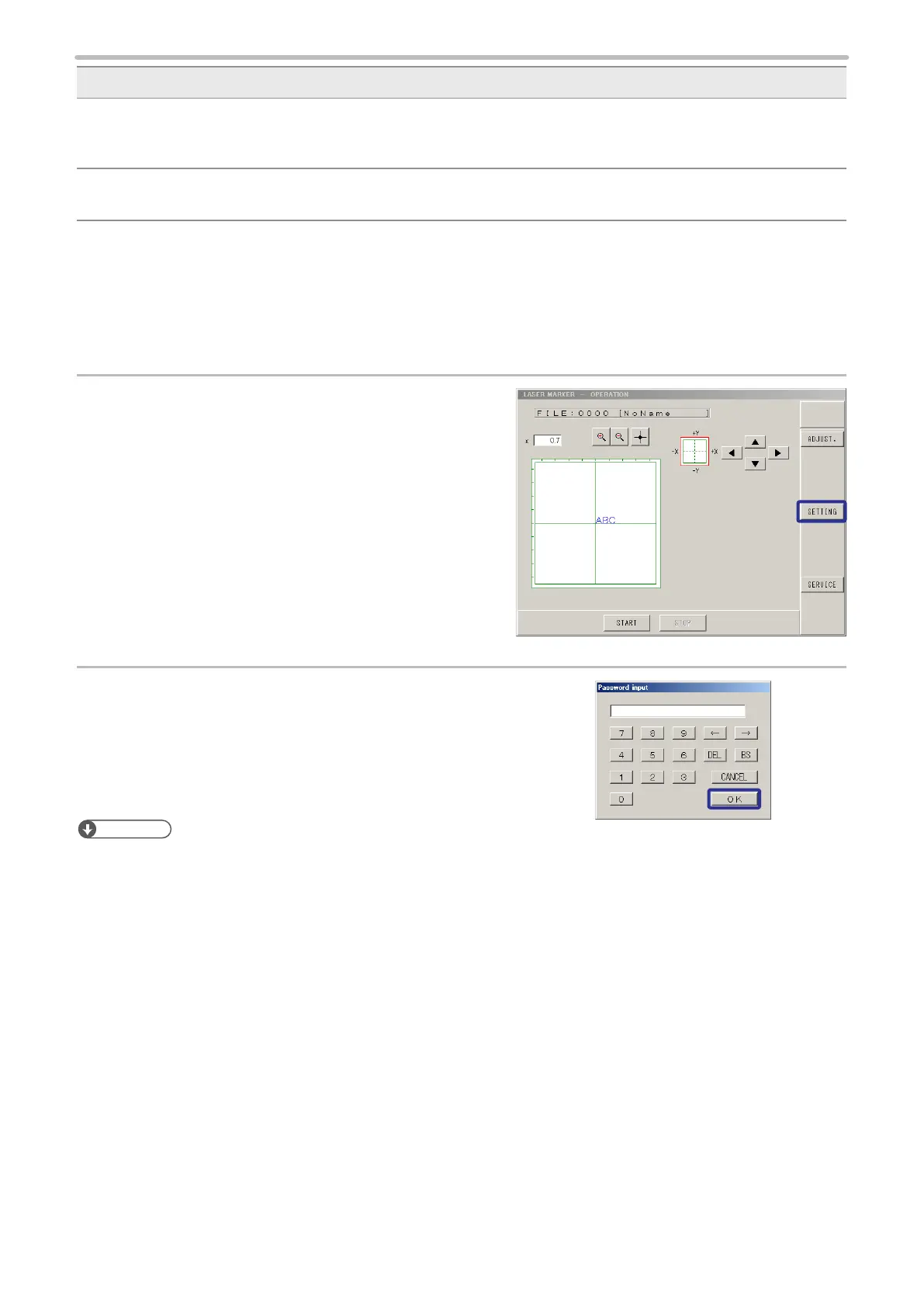
When the password is input on the environment setting screen, the password is required to open the setting screen from
operation screen. This is a protection for operator not to change the marking conditions without permission. Refer to “2-16-1
Display Setting (Environment 1)” (P.225).
1.
Press [SETTING].
The input window for password is appeared.
2.
Input the password and press [OK].
The screen can be shifted to the setting screen.
Reference
• If you forget the password, refer to “When password is forgotten:” (P.228).



 To Next Page