228
When password is forgotten:
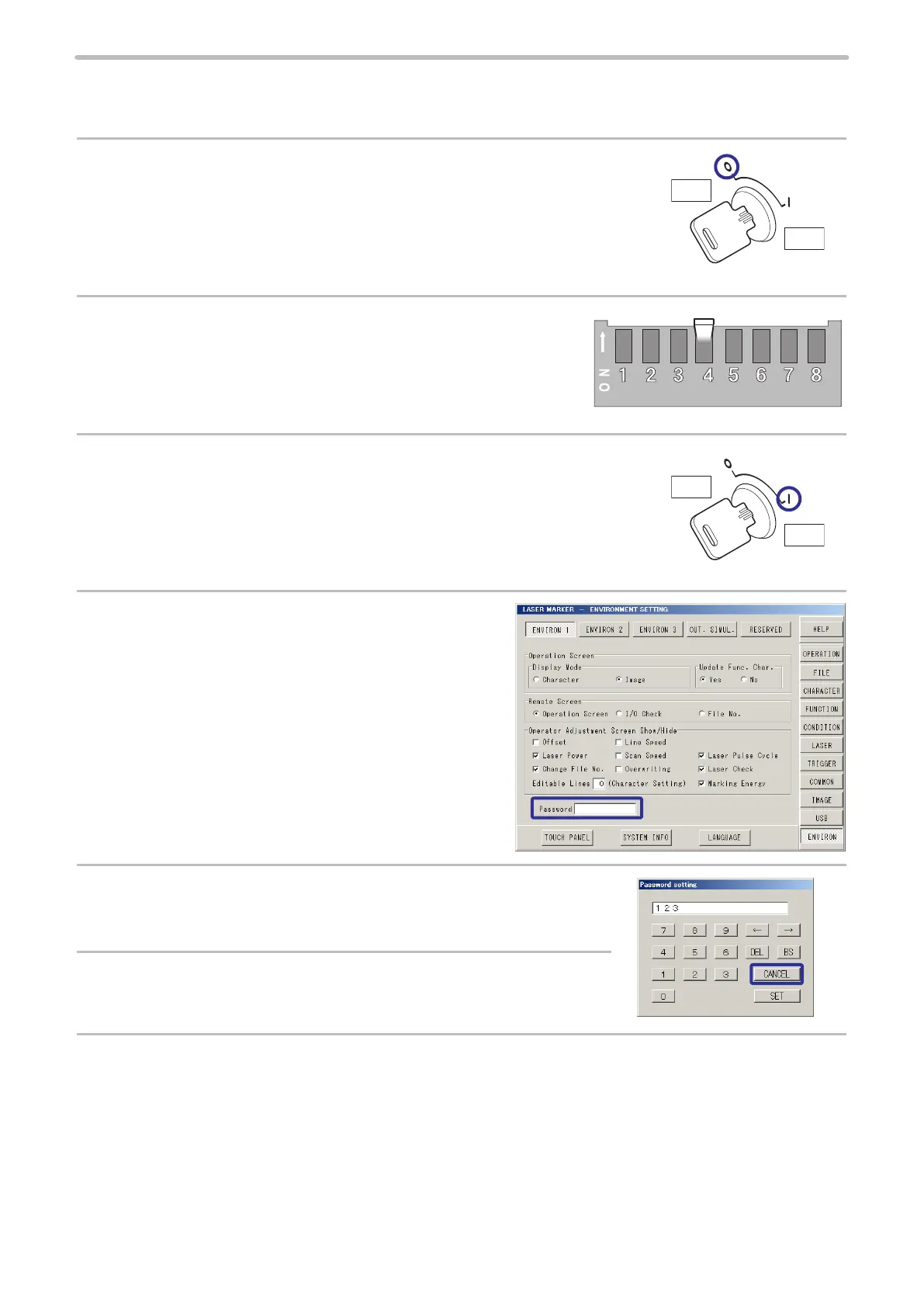
The password can be cancelled by the DIP switch on the rear of controller when you forget password.
1.
Turn the key switch on the controller to OFF.
2.
Turn the No. 4 DIP switch on the rear of controller to ON.
3.
Turn the key switch on the controller to ON.
4.
Press on the password in the “ENVIRON1” on the
environment setting screen.
5.
The gures displayed on the setting of password indicate the
currently registered password.
6.
Check the password, and press “CANCEL”.
7.
Turn off the key switch on the controller and turn off DIP switch No.4 to make the password valid.
ヱヰヸユン
ON
OFF
ヱヰヸユン
ON
OFF



 To Next Page