98
2-7-3 Save
Save the changed content by deleting previous content of the current le with the same le No.
When the power of the laser marker is turned OFF without overwriting the le, the setting/changing content is not saved.
1.
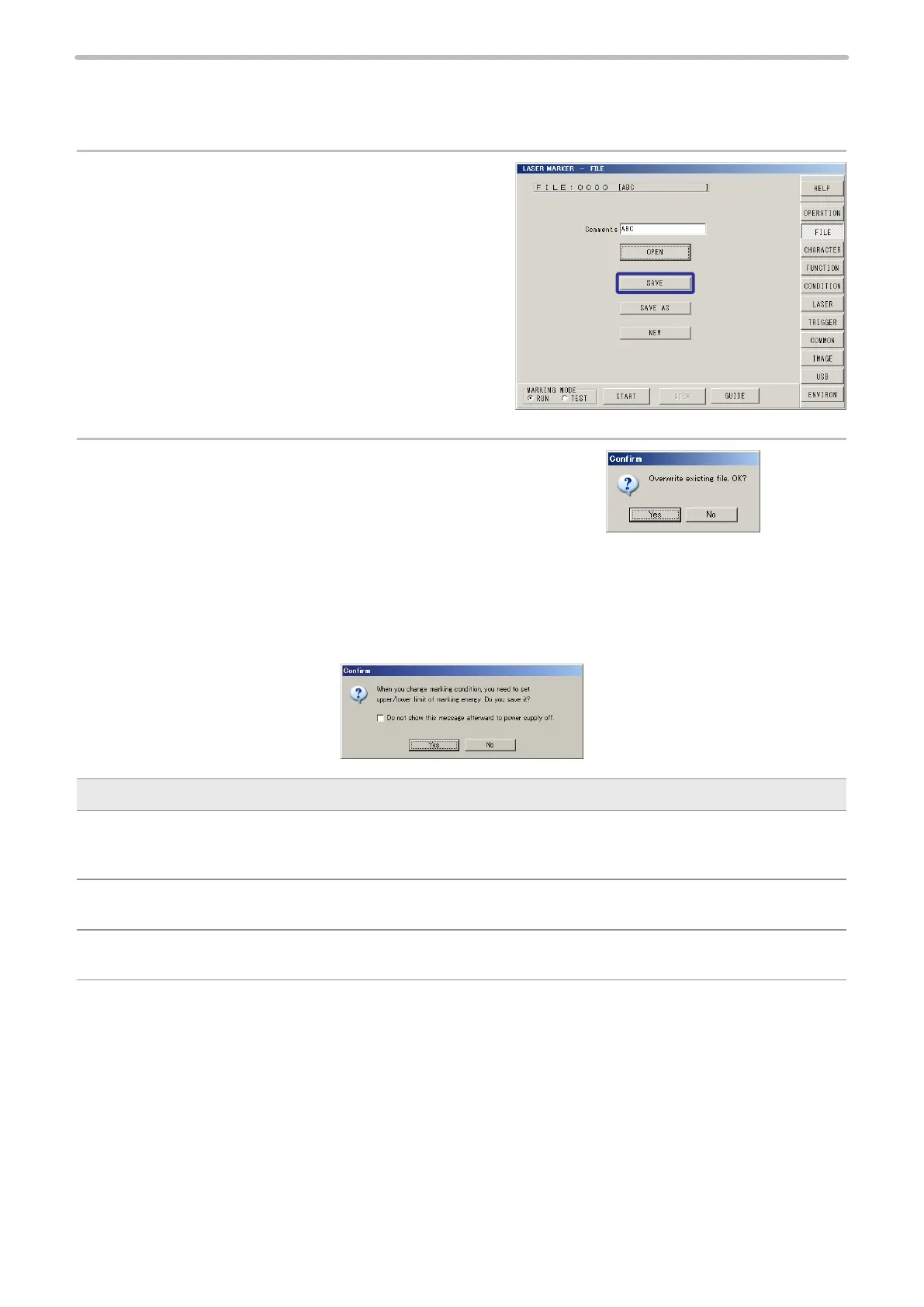
Press [SAVE].
2.
When overwriting the le, press [Yes].
Yes: Execute overwriting.
No: Not execute overwriting. Returns to the procedure 1.
When “Measuring marking energy” is enabled: (LP-M series and LP-Sxxx type only)
When “Measuring marking energy” is enabled (see “2-11-2 Marking Energy Measurement” (P.187)), the following message
appears after completion of step 2.
Description
Do not show this message afterward to power supply off.:
If you check on the box, the message that is displayed every overwriting does not appear until the power is turned off
and on again.
Yes:
Overwriting is executed.
No:
Overwriting is not executed. Screen returns to step 1.



 To Next Page