97
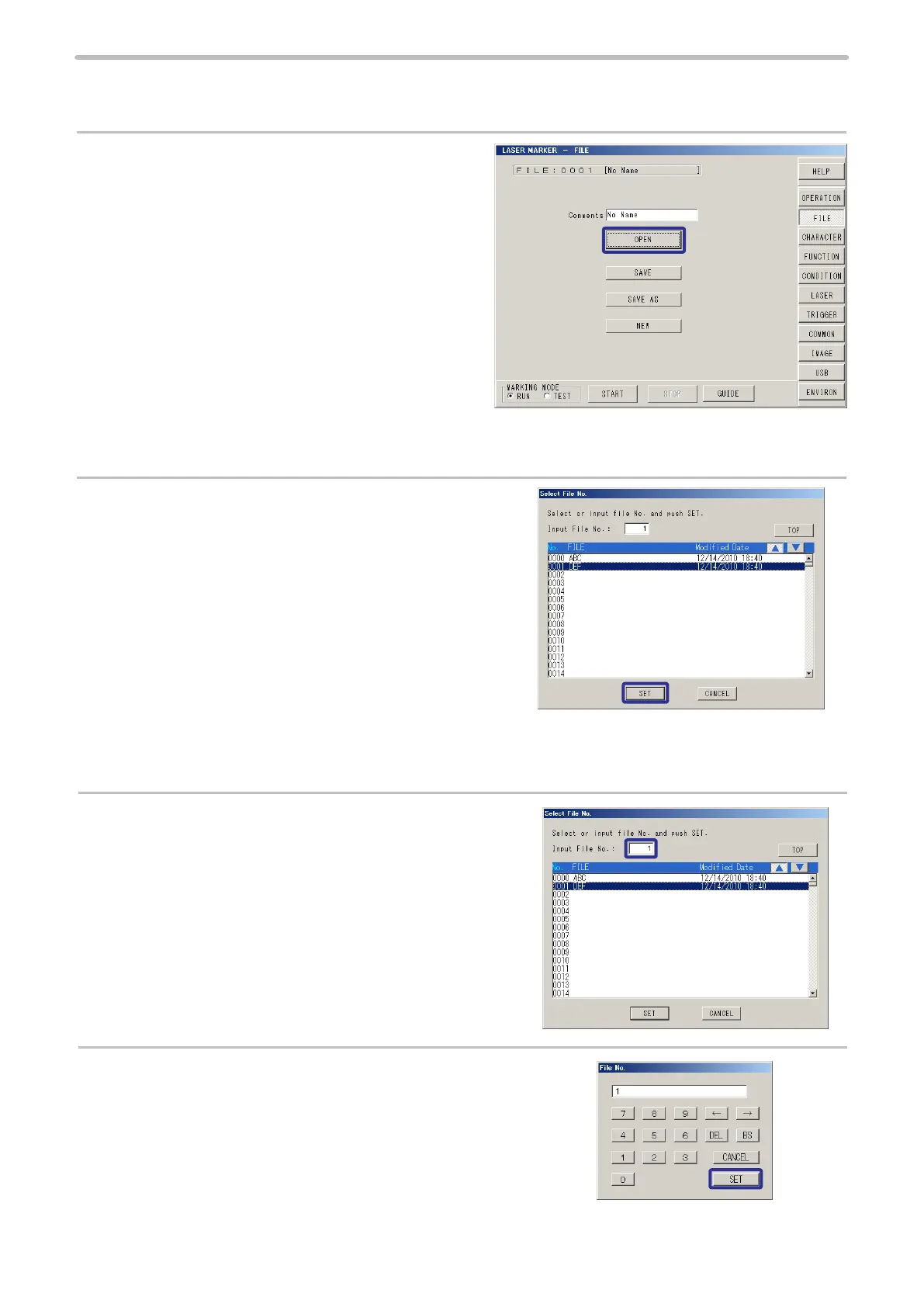
2-7-2 Change File No.
Change the le No. to be displayed with the following procedure.
1.
Press [OPEN].
When the contents of the current opened le is changed,
the check window whether to save/not save changed
content is appeared. When selecting [Yes], the same
procedure described in “2-7-3 Save” (P.98) is appeared.
When selecting [No], the changed content is not saved.
When Selecting File From List
2.
Pressing either “No.”, “FILE”, or “Modied Date”, and
then pressing
qp
displays the list by selected item in
ascending/descending order.
Select the le and press [SET].
When Selecting by Specifying File No.
2.
Press numeric column of Input File No.
Totally 2048 le No. can be registered from 0000 to 2047.
3.
Input le No., press [SET].
Then press [SET] in Select File No. screen.



 To Next Page