83
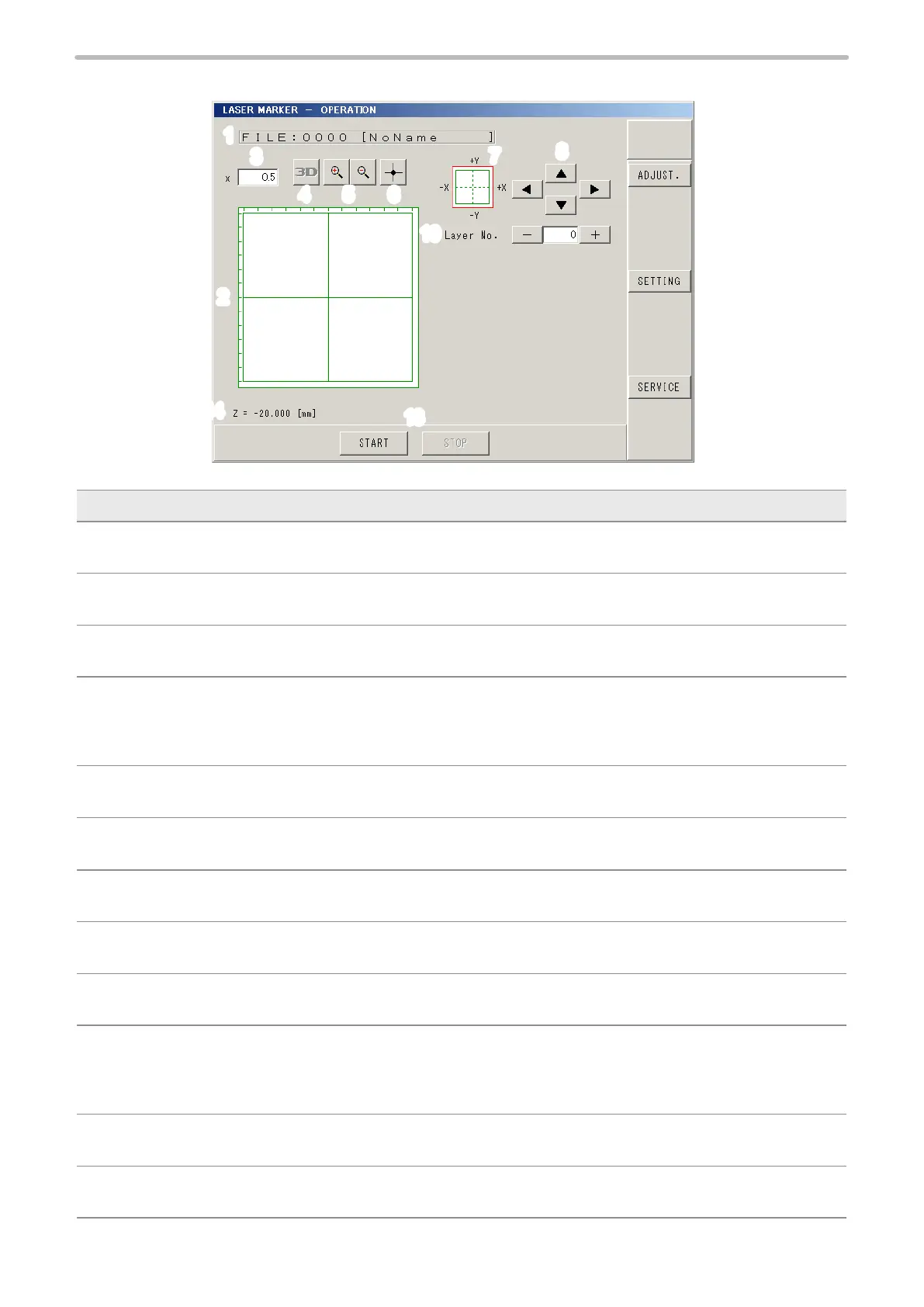
2-3-2 Image Display
1
2
9
11
12
4
3
5 6
8
7
10
13
14
Description
1 FILE:
Displays selected le No. and le name.
2 Image Display:
Displays image to be marked.
3 Magnication:
Sets the magnication ratio of the image display. The display magnication can be specied by pressing numeric.
4 3D Display (LP-M / LP-Z series only) :
This button appears when the 3D marking mode is selected. By pressing this button, both the 3D gure and
marking content are displayed with 3D view screen.
Refer to “2-14-3 3D View Screen” (P.213).
5 Zoom-in / Zoom-out of Image Display :
Zooms in/out image display. The image can be zoomed in and out by 18 steps.
6 Center of Image Display :
Set the origin center to image display position.
7 Image Display Position :
Indicates where the current image is in the marking eld.
8 Shift Display Position :
Shifts image display position up and down, left and right. Pressing arrow shifts the image display position.
9 ADJUST. (Operator Adjustment) :
Shifts to operator adjustment screen.
10 Layer No.:
The layer No. is displayed when the 3D marking mode is selected (only for LP-M and LP-Z series) or the marking mode
“Mark on Flying Object” is selected for the trigger setting.
Press [+] [-] for switching layer No., and then the image corresponding to layer No. is displayed.
11 SETTING :
Shifts to each setting screen.
12 SERVICE
:
Shifts to Maintenance & Service screen.



 To Next Page