82
2-3 Operation Screen
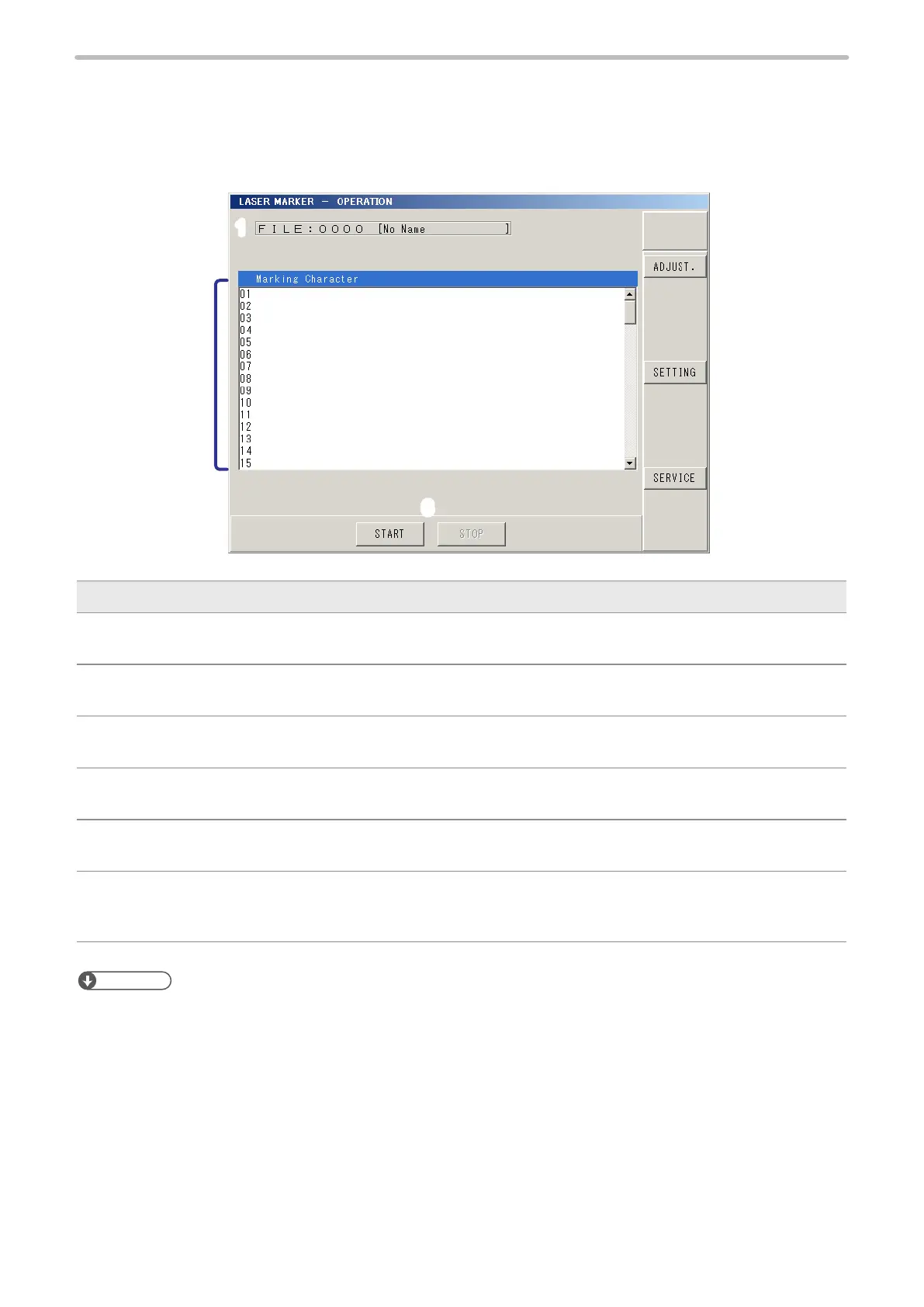
On the operation screen marking contents can be conrmed under the remote control mode of run mode.
2-3-1 Character Display
1
2
3
4
5
6
Description
1 FILE:
Displays selected le No. and le name.
2 Marking Character:
Displays marking character string to be marked.
3 ADJUST. (Operator Adjustment):
Shifts to operator adjustment screen.
4 SETTING:
Shifts to each setting screen.
5 SERVICE:
Shifts to Maintenance & Service screen.
6 START/STOP
Starts or stops RUN mode.
Under RUN mode, marking (laser emission) starts by setting ON the trigger input of the input terminal.
Reference
• The actual marking characters of the functional characters for date, lot, counter, etc. can be displayed at each marking.
Refer to “2-16-1 Display Setting (Environment 1)” (P.225) for the display settings for the operation screen.



 To Next Page