210
Description
3 Unit:
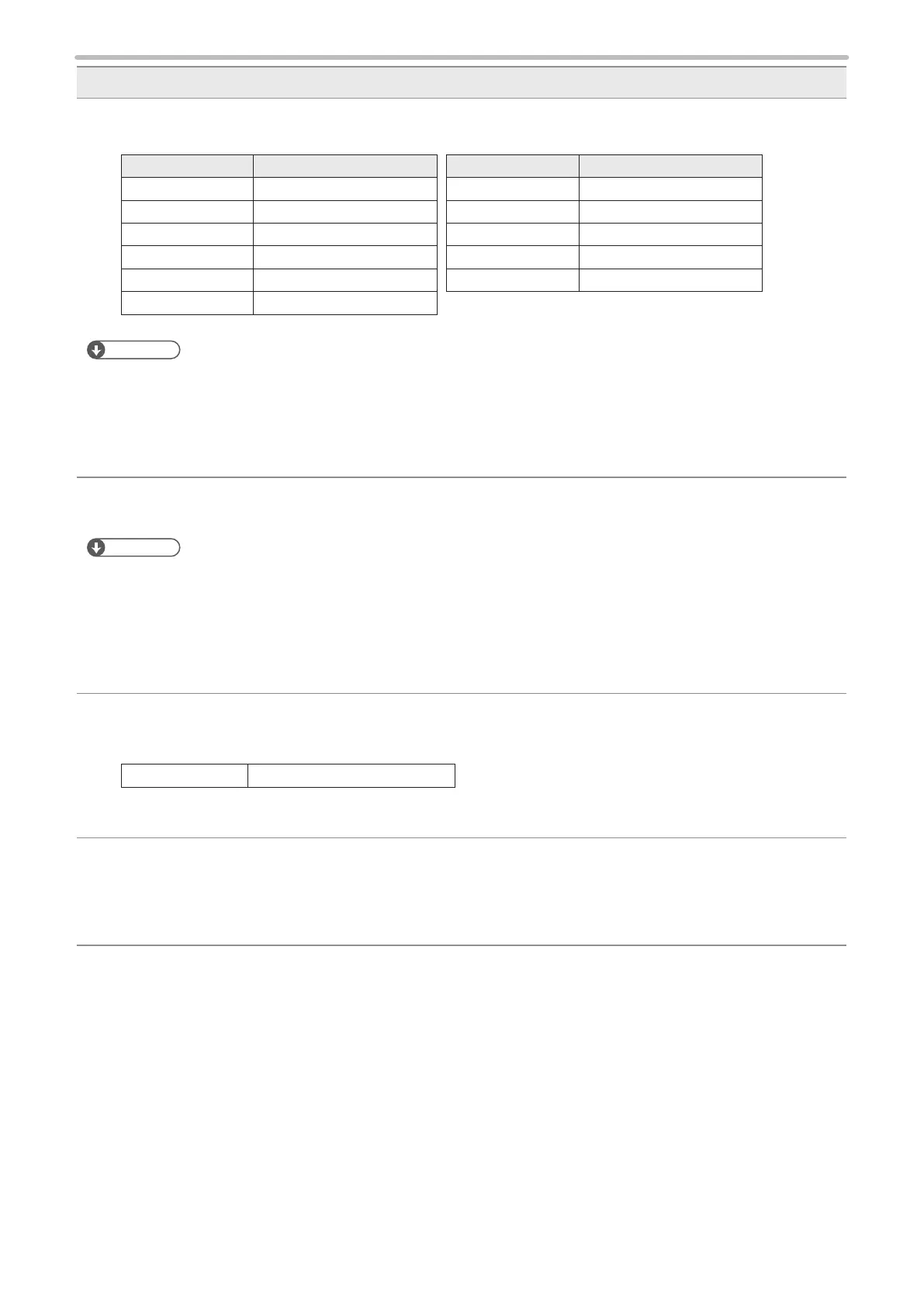
Select the unit for period to be performed lot function.
Period unit Maximum setting number
Year 60
Year (week-based) 60
Month 12
Day 31
Year/Month 60
Month/Day 60
Period unit Maximum setting number
Hour 24
Minute 60
Hour/Minute 60
Week 54
Day of Week 7
Reference
• When a lot subject is set to counter 0 to 7, setting of term condition is not necessary. In this case, max. dividing
number is set to 60.
• When the period unit is “Year/Month”, do not input the non-existent date.
• When week or year (week-based) is used for the period unit, set the update day and rst week of the year in
environment settings screen beforehand. Refer to “Week Setting” (P.231).
4 Start from / End by:
Set the both period of start and end.
Reference
• If the period is spanned, for example, when setting the period from 22 o’clock to 3 o’clock of the next day, it needs to
set the period by diving into two, 22 to 23 o’clock and 0 to 3 o’clock.
• Saturday is dened as weekend day even whether the week renewal is set to either Monday or Sunday at “week”
unit setting of “Lot” in “Function Setting” menu. For marking Monday through Friday as “Weekday” and Saturday and
Sunday as “Holiday”, you should set respectively at three times as following order; Sunday is set as “Holiday” (1),
Monday through Friday is set as “Weekday” (2), and Saturday is set as “Holiday” (3).
5 Marking Character:
Set the character string to be marked. Double-click on the marking character string area, or select the input line
and press [EDIT] to open the character input window.
Setting Range Up to 9 characters *
* Capital and small letters of alphabet, numerics, Katakana, Hiragana, Kanji (JIS level-1 and JIS level-2), symbols,
user registration characters
6 AUTO:
This “AUTO” is available when the unit of the expiry date is selected among “Year”, “Month”, “Day”, “Hour”,
“Min.”, “Week”, or “Day of Week”. Pressing this button sets the start and end of the period with minimum unit
automatically. Note that when the unit of the expiry date is set to “Year”, the period is set automatically calculating
from the current year.



 To Next Page