68
1. Set the cone (horizontal).
1.
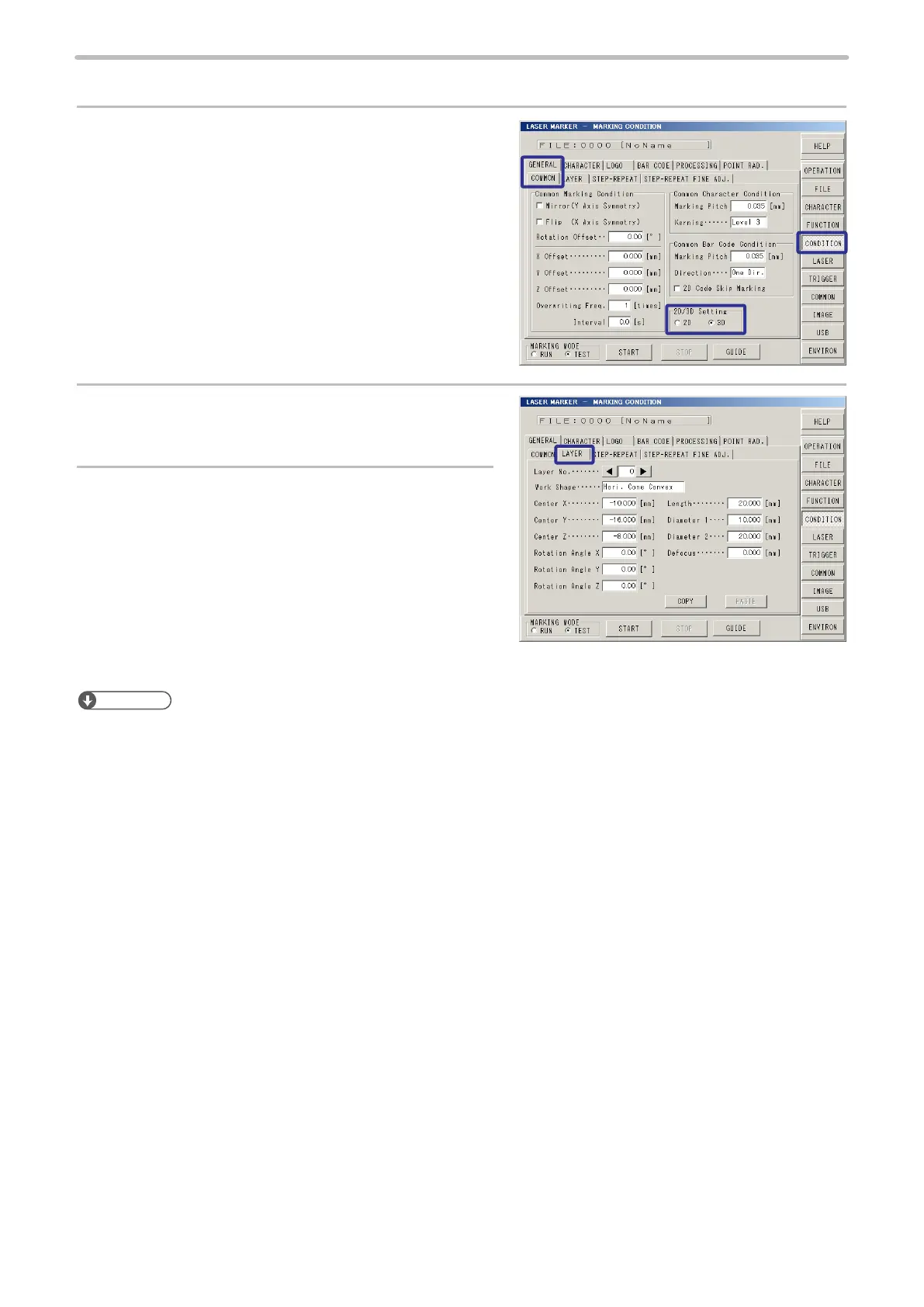
Press [CONDITION] ‚ and then press [General].
Select [COMMON], and check [3D] of [2D/3D
Setting].
2.
Press [Layer], and set “0” to [Layer No.].
3.
Set the shape, size and position of the marking
object:
• Work shape: Hori. Cone Convex
• Diameter 1 (Top-base): 10 mm
• Diameter 2 (Bottom-base): 20 mm
• Length: 20 mm
• Center X: -10 mm
• Center Y: -16 mm
• Center Z: -8 mm
Reference
• Set the center position of the 3D gure on the world coordinate system (coordinate with its original point set on the
center of the area). Refer to “Coordinate System (World Coordinate / Local Coordinate)” (P.135) for details.



 To Next Page