75
2. Set the marking condition.
1.
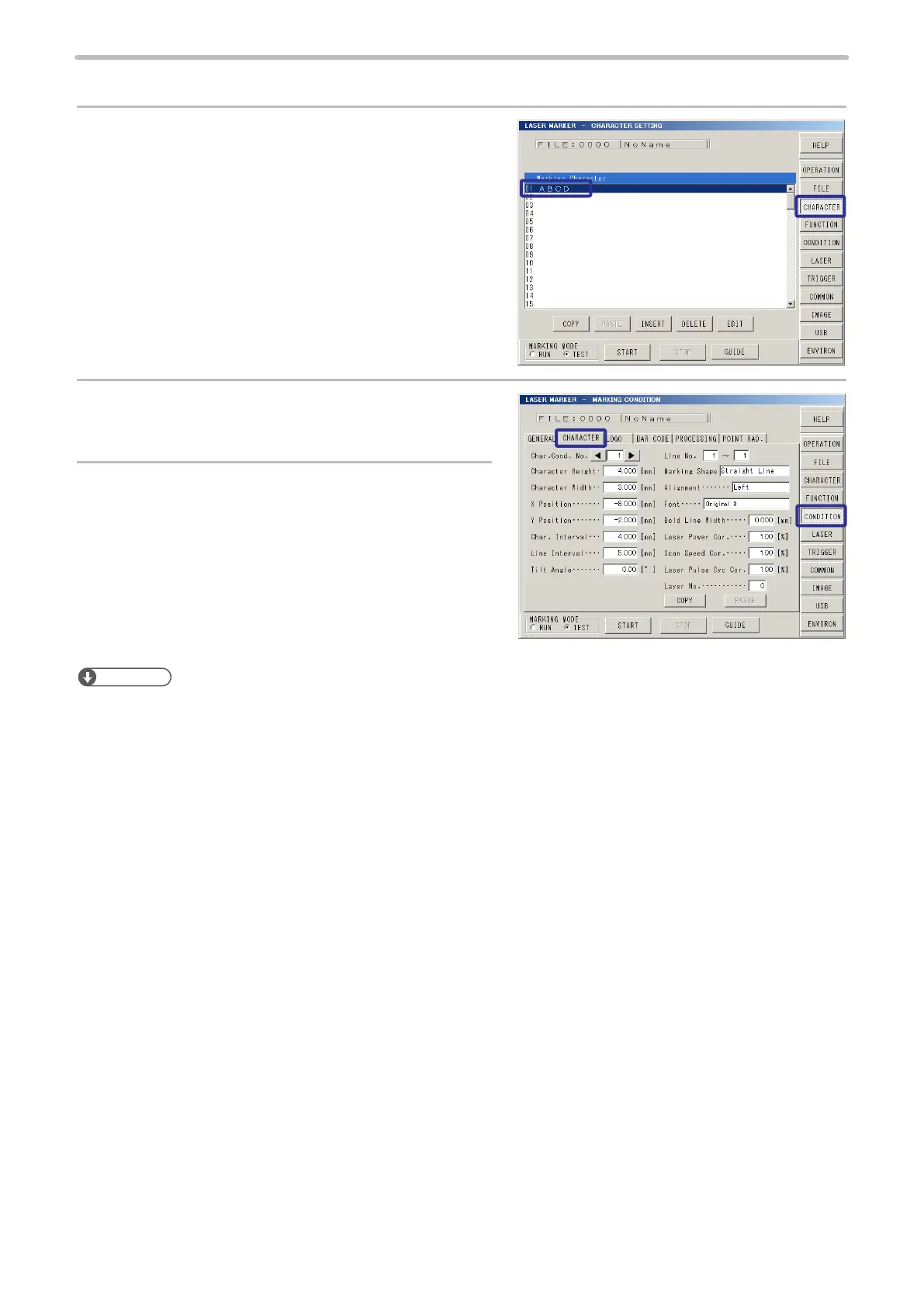
Press [CHARACTER].
Select the rst line and then input “ABCD”.
2.
Press [CONDITION] , and press [CHARACTER].
3.
Set the size and coordinate (local coordinate) for
the characters to be marked on 3D object.
• Layer No.: 0
• Character Height: 4 mm
• Character Width: 3 mm
• X Position: -8 mm
• Y Position: -2 mm
• Character Interval: 4 mm
Reference
• When marking on the 3D gure, the starting point of the character is set on the local coordinate system (coordinate with
its original point set to the center of the gure).
Refer to “Coordinate System (World Coordinate / Local Coordinate)” (P.135) for details.
• The work type and marking content can be checked using the image screen “2-14-3 3D View Screen” (P.213). Before
performing the actual marking, be sure to check whether the marking content is set within the 3D gure.



 To Next Page