52
11.2. Checking and Repairing of
Panel P.C.B.
Step 1 : Remove the Top Cabinet Assembly.
Step 2 : Remove the Front Panel Assembly.
Step 3 : Remove the USB Assembly.
Step 4 : Remove the Panel P.C.B.
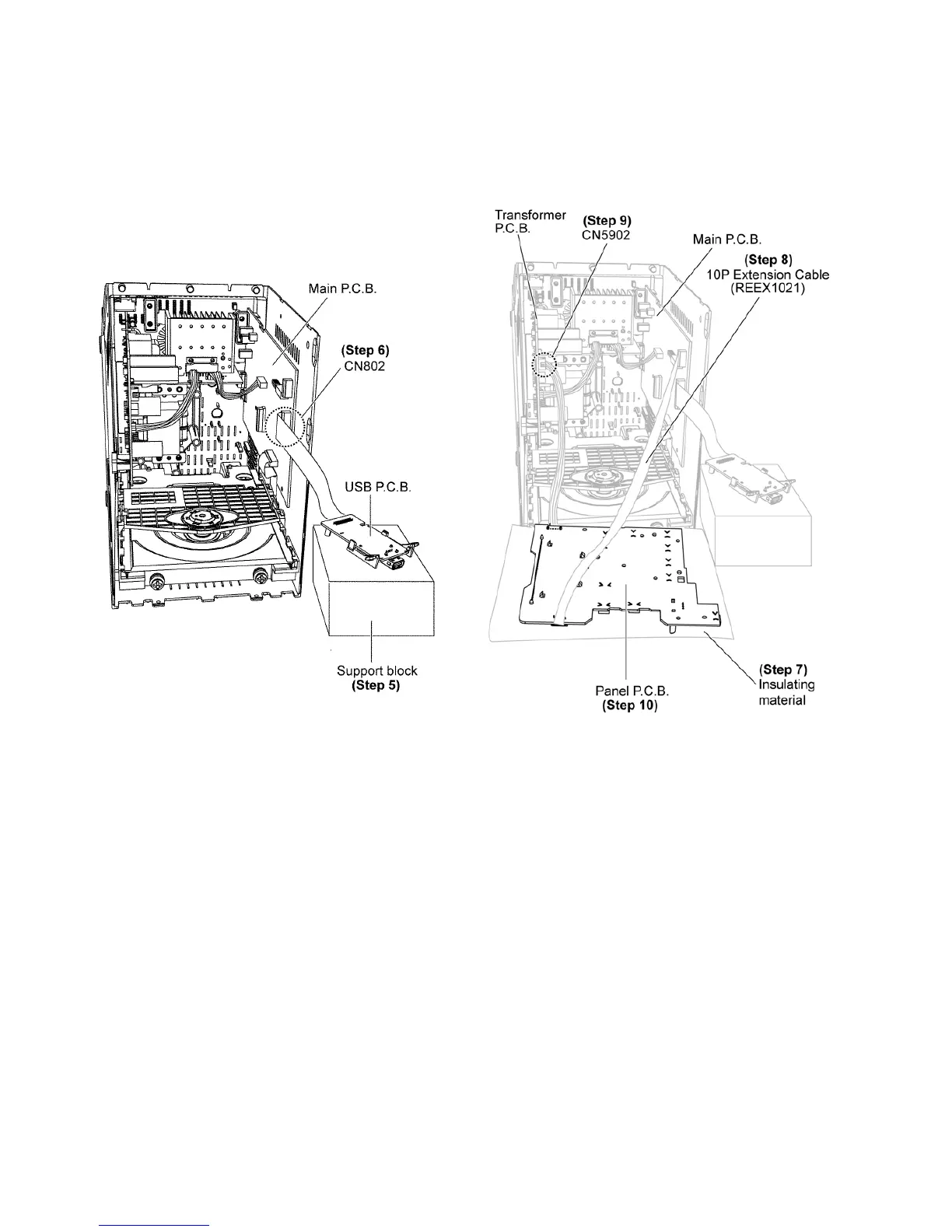
Step 5 : Place a support block underneath the USB P.C.B.
Step 6 : Connect 22P FFC at the connector (CN802) on Main
P. C.B .
Step 7 : Lay an insulating material on Panel P.C.B.
Step 8 : Attach extension cable REEX1021 (10P FFC from
CN451 on Main P.C.B. to CN900 on Panel P.C.B.).
Step 9 : Connect 4P Cable at the connector (CN5902) on
Transformer P.C.B.
Step 10 : Check and repair Panel P.C.B. according to the dia-
gram shown.









 To Next Page