51
11 Service Position
Note: For description of the disassembly procedures, see the Section 9.
11.1. Checking and Repairing of
USB P.C.B.
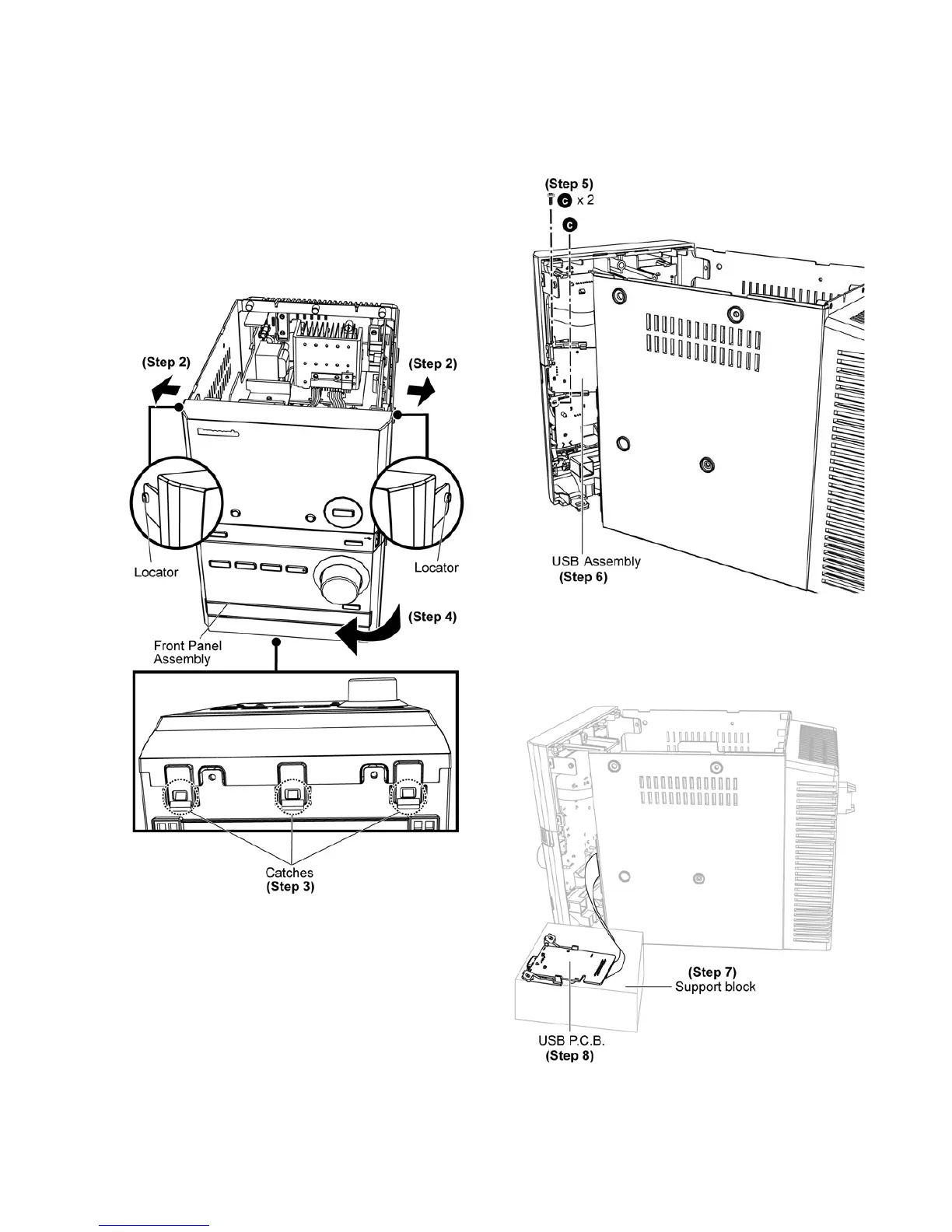
Step 1 : Remove the Top Cabinet Assembly.
Step 2 : Release both locators.
Step 3 : Release 3 catches from the bottom.
Step 4 : Slightly detach and move the Front Panel Assembly as
arrow shown.
Step 5 : Remove 2 screws.
Step 6 : Remove USB Assembly.
Step 7 : Place a support block underneath the USB P.C.B.
Step 8 : Check and repair USB P.C.B. according to the diagram
shown.









 To Next Page