32
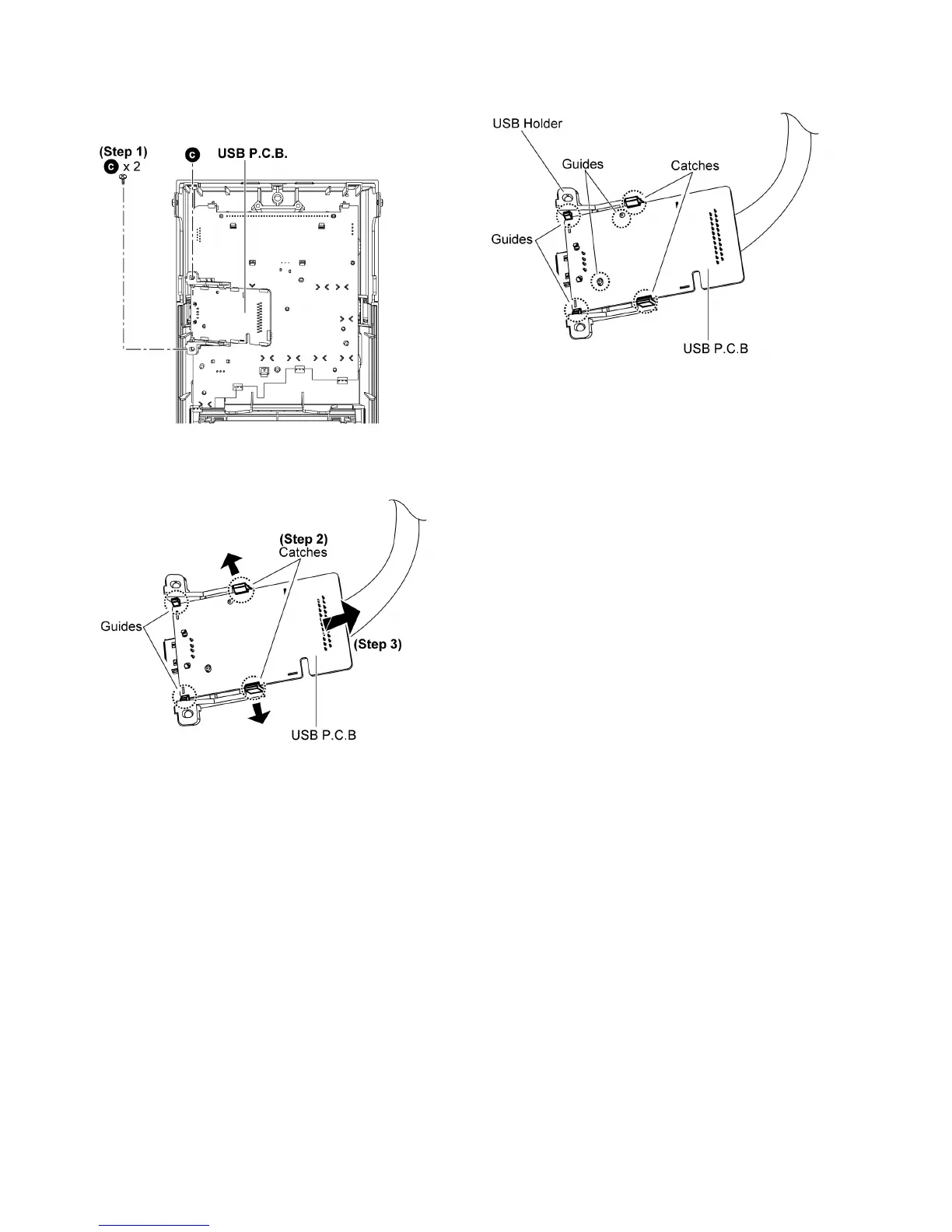
10.8. Disassembly of USB P.C.B.
• Follow the (Step 1) - (Step 9) of item 10.3.
• Follow the (Step 1) - (Step 6) of item 10.7.
Step 1 : Remove 2 screws.
Step 2 : Release both catches as arrows shown.
Step 3 : Detach the USB P.C.B as arrow shown to release from
both guides.
Caution : Ensure that the USB P.C.B. is firmly catched and
properly seated on the guides during assembly of the USB
P.C .B. .












 To Next Page